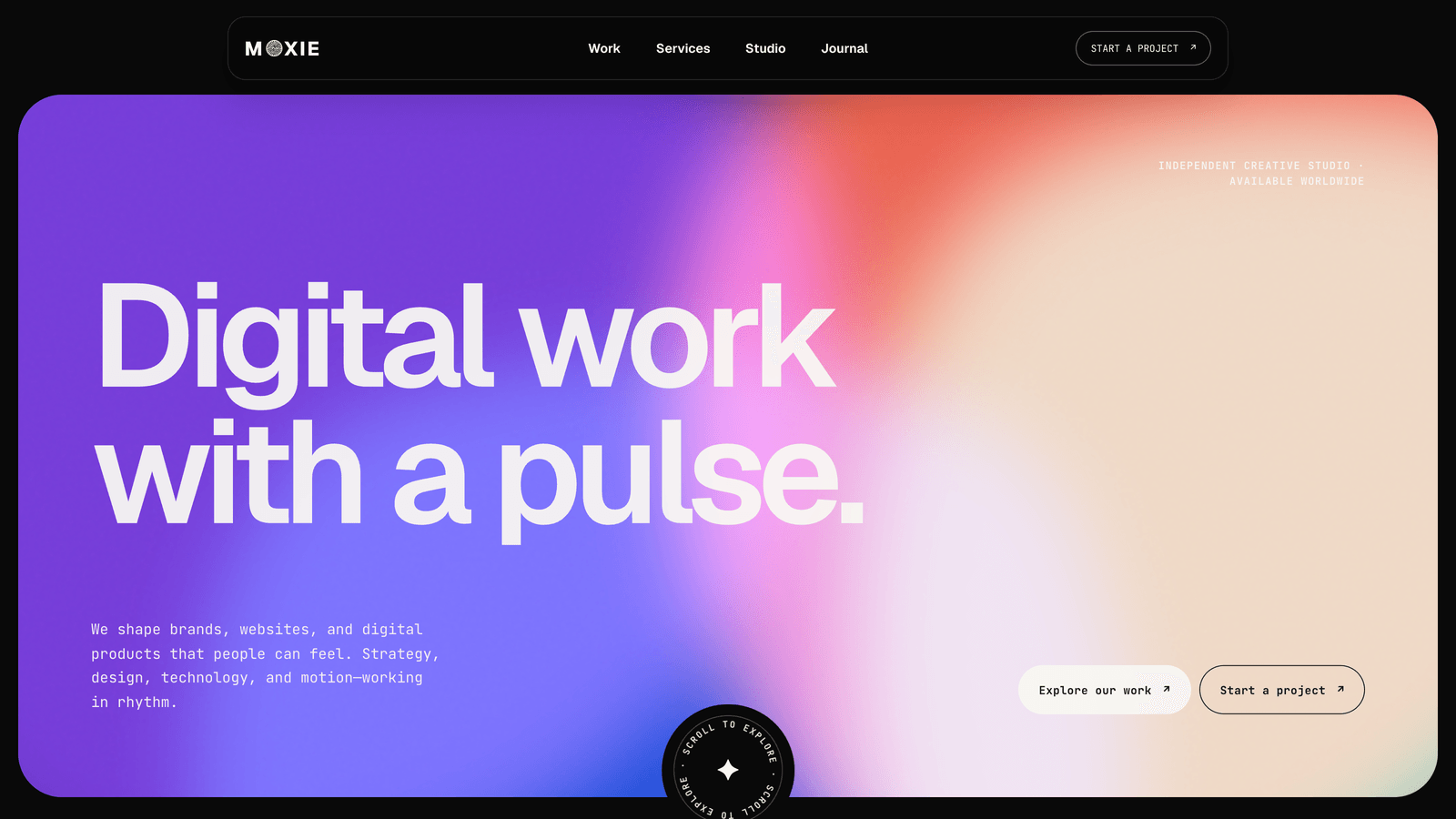
Astro CMS: what EmDash on Cloudflare is like to use, from someone who just wired it up
Notes from adding EmDash CMS to the Moxie and Daymark Astro themes on Cloudflare: what editors get, what developers set up, and when static is better.
I spent the last two days putting a CMS behind one of our Astro themes. Not a headless CMS with a separate service and an API key, but one that lives inside the Astro project. It is called EmDash, it runs on Cloudflare, and I want to write down what it was like while it is still fresh, because most of what I found is not in any tutorial.
That first theme was Moxie, for agencies and studios. Since then I have added the same CMS approach to Daymark, our SaaS and B2B theme. The examples below now cover both.
If you are searching for an Astro CMS because a client asked “can I change the text myself”, this is for you.
The short version
- EmDash CMS is an Astro integration. You install it, add two lines to your config, and you get an admin panel at
/_emdash/admin. - Content moves from markdown files into a database. Your pages read it at request time.
- Locally it uses a SQLite file. In production it runs on Cloudflare Workers with D1 and R2.
- Your client can edit every page, upload images, manage menus, and publish. No build, no git.
- It is version 0.36 as I write this. It works, it also has rough edges. I list them below.
Why not just keep markdown?
Markdown files are great for developers. They are terrible for the person who runs a small studio and wants to change the price on the pricing section on a Tuesday evening. That person does not want a git client. They want a form.
For years the answer on Astro was a headless CMS: Sanity, Contentful, something like that. It works, but now you have two systems, two logins, a webhook that rebuilds the site, and a bill. For a five page agency site that is a lot of machinery.
EmDash takes the WordPress idea, one thing that is both the site and the admin, and does it on Astro. That is why I gave it two days.
What the editor actually gets
I will start with what I built on our Moxie theme.
The sidebar has five things: Pages, Journal, Services, Work, Media. That is it. No plugin soup.
Pages holds one entry per page. Home, Studio, Contact, Work, Services, Journal, Privacy, Terms, and one called Site settings for the header, footer and 404 copy. You open Home and you see the hero eyebrow, the heading, the intro text, then the buttons, then every block further down the page as its own group of fields. Pricing plans are a list where you click “Add item” and fill in a name, a price, a timeline and the features. Same for the manifesto lines, the client logos, the proof numbers.
Projects, services and journal posts are normal entries with a cover image, a gallery, a body, and so on. Categories are a taxonomy. Menus are menus.
Then there is click-to-edit. You log in, open the real site, flip a toggle in a small toolbar at the bottom, and every editable thing gets a hover outline. Click the headline, change it, done. I did not expect that to work as well as it does.
Translations are per entry. Register a second language in one file, restart, and every entry gets a Translate button. The French version of Home is its own entry with its own publish state. Pages that are not translated yet show the default language instead of a 404, which is what you want on a half translated site.
Daymark: the same approach for a SaaS site
Daymark keeps its serif headings, four accent presets, and light and dark modes. The CMS edition adds Pages, Blog and Changelog collections, alongside media and menus. Its starter has 15 page entries, three blog posts and three changelog releases.
For a SaaS team, the useful part is what those page fields cover: pricing plans and comparison rows, team profiles, customer quotes, FAQs, calls to action, and the product images for each color mode. Blog posts and releases have their own bodies, dates and publishing states. Site settings and menus have their own controls too.

I also audited the connection between the fields and the frontend. Changing the hero eyebrow needs to change the actual eyebrow, and clicking a dark-mode image needs to open that image’s field. The same goes for the monthly and annual pricing notes. An admin form is only useful if the page reads the value you just edited.
The layouts stay designed in the theme. Editors change their content through structured fields and click-to-edit; adding a new section layout still means changing the source. Daymark also keeps translations per entry and renders published content without a rebuild.
What the developer does, once
Here is the honest list of what I had to do to turn a static theme into an EmDash one. Not to scare you off, just so you know it is not a checkbox.
- Switch the Astro output to server mode and add the Node adapter for local, the Cloudflare adapter for production.
- Add React, because the admin panel is a React app.
- Write a seed file. This is the content model: which collections exist, which fields they have, plus the demo content. The seed runs on first start and creates everything.
- Rewrite the pages to read from EmDash instead of from
getCollection. I kept every component untouched and put a small adapter in between that reshapes the entries into what the components already expected. That saved the design. - Sprinkle
entry.editon headings and paragraphs so click-to-edit knows what belongs to which field. - Write the deploy config: a
wrangler.jsoncwith a D1 database and an R2 bucket.
For a theme with three collections and about thirteen content blocks on the homepage, that was a long day plus a morning of fixing edge cases. A blog only theme would be a couple of hours.
EmDash on Cloudflare: the deploy
This part is simpler than it sounds and I think it is the best part of the whole thing.
wrangler d1 create my-sitewrangler r2 bucket create my-site-mediaPaste the two ids into wrangler.jsonc, set one secret for the encryption key, then:
npm run deploy:cloudflareThat is a Worker, a database and a bucket. When I searched for “emdash cloudflare” before starting I found the official deploy page and not much else, so here is the whole thing in three commands. The seed runs once against the remote database. You open the admin on your real domain, create the owner account with a passkey (no password to store, which I like), and hand the login to the client.
From that moment on, edits are live on the next request. There is no build step anymore. That is the thing that makes EmDash on Cloudflare different from every “headless CMS plus rebuild hook” setup I have done before.
Cost: for a site this size everything stays inside the free tiers of Workers, D1 and R2. I checked the numbers so you do not have to.
The rough edges
It is a 0.x project and I hit real bugs. I would rather you hear it from me than find them at nine in the evening before a client demo.
- A field that references several other entries at once (think “related projects”) breaks the Translate button. The fix on our side was to use a checkbox on each project instead of a picker on the page. Fine, but I lost an hour to it.
- Lists do not fall back to the default language. If your French site has two translated projects, the French work page shows two projects, not all of them with two in French. We wrote our own fallback in the theme. Expect to do the same.
- The admin’s “view on site” links do not know your routes. They guess
/pages/home. We added a tiny redirect route so they land on the real page. - The seed never deletes a field. Remove a field from the schema and it stays in existing databases until you delete it by hand.
- Two sidebar items, Bylines and Comments, cannot be hidden. They just sit there.
None of these are deal breakers. All of them are the kind of thing that eats an afternoon if you are not warned.
When you should not do this
Be honest with yourself about editing frequency. If the site changes twice a year, a static Astro site is faster, cheaper, and has nothing that can break at 2am. A CMS is for sites that someone edits every week and where that someone is not you.
Also, an EmDash CMS site needs a Cloudflare account and the wrangler CLI. That is a different buyer than “unzip, run build, drag the folder to Netlify”. If your client’s host is a shared PHP server, this is not the road.
What we ship
Moxie and Daymark now each have a static edition and an EmDash CMS edition. Choose the design for the project, then choose how the content will be maintained.
- Moxie is for creative agencies and studios, with work, services and journal collections. Its CMS edition also includes the static ZIP.
- Daymark is for SaaS and B2B products, with editable product pages, pricing, team profiles, a blog and a changelog. The static edition is $49; the separate CMS edition is $69.
Each theme page has its own edition choices and checkout links. The shared setup steps are in the EmDash CMS docs, with Daymark’s content structure explained in the Daymark docs.
More themes will follow the same road. Moxie established the seed pipeline and adapter pattern; Daymark applies them to a different kind of site.
If you try EmDash on your own project and hit something I did not list, write to me. I would like to keep this page accurate.
For other ways to edit an Astro site visually, see Astro visual editors compared.
Frequently asked questions
What is EmDash CMS? +
EmDash is an open source CMS that runs inside an Astro project. You add it as an integration, it gives you an admin panel at /_emdash/admin, and your pages read content from a database instead of from markdown files. It was built by people from the Astro team and it is positioned as a modern replacement for WordPress.
Does EmDash need Cloudflare? +
For production, yes in practice. EmDash runs on Cloudflare Workers with D1 for the database and R2 for uploads. Locally it uses a SQLite file and a folder for media, so you do not need a Cloudflare account until you deploy.
Is an Astro CMS slower than a static Astro site? +
A bit, because pages are rendered on request instead of being plain files on a CDN. On Cloudflare Workers that difference is small, usually tens of milliseconds, and you can cache. If nobody edits the site more than once a month, static is still the simpler and faster choice.
Can my client edit a page without me? +
That is the whole point. They log in, open the page, change the text or swap an image, and publish. Nothing gets rebuilt and nobody opens a code editor. With click-to-edit they can even change a headline directly on the live page.
How much does it cost to run? +
EmDash itself is free and open source. Cloudflare Workers, D1 and R2 all have free tiers that cover a normal agency or studio website. You pay for the theme once and for the domain.
Start from a production-ready Astro theme
Skip building the design from scratch. These themes are full Astro 7 + Tailwind v4 projects you own outright - and you can edit them visually, no code, with the AeroLaunch builder.