HTML website templates that don't look like 2014: what to look for and a few I'd pick (2026)
What an HTML template actually is, why plain HTML still wins on some projects, what responsive should mean now, and the checks I run before buying one.
Every few weeks someone emails me asking whether our themes come as “just HTML”. No build, no npm, no Astro. They have a client on a shared cPanel host, or they hand over files and never touch the project again, or they simply do not want a toolchain to change a headline.
They are right to ask. So we started shipping HTML editions, and while I was building the pipeline I had to think hard about what a good HTML template actually is in 2026. Most of what sells under that name still looks like 2014.
Here is what I learned about buying html website templates in 2026, what I check before spending money on one, and the eight of ours I would point you at.
What an HTML template actually is
An HTML template is the finished website. Files on disk. index.html, about.html, contact.html, a assets/css/main.css, some JavaScript, an images/ folder. Double-click the first file and it opens in your browser, right there from your hard drive.
An Astro theme is different. It is source code, and it has a build step. You run npm install, then npm run build, and out comes the HTML. That build gives you real things: components, so the header lives in one file; a content collection, so a blog post is a markdown file; image processing, so you get WebP without thinking about it.
Both end up as static files on a CDN. The difference is who does the assembling and when.
Why people still want plain HTML
I used to think this was nostalgia. It is not. There are four situations where plain HTML is just the better answer.
- The client’s host is a shared cPanel box with PHP and FTP and no Node anywhere. You upload a folder. Done.
- You are an agency handing over files. The client’s next developer opens
about.htmland understands it. No onboarding. - You want to edit by hand. Open the page, change the words, save, refresh. That loop is about as fast as a loop gets.
- You are dropping a page into something that already exists, a Rails app or a WordPress theme or an Express server. Plain markup goes anywhere.
None of that is nostalgia. That is picking the tool that fits the job.
What “responsive” should mean now
“Responsive” has been on every template listing since about 2013, which means it tells you nothing. Responsive html templates in 2026 should clear a higher bar than “it has media queries”.
Three things I check, in this order:
Fluid type. Headings that scale smoothly with the viewport, usually with clamp(), instead of jumping between three fixed sizes. Resize the window slowly. If the hero heading snaps, the template is old.
A real mobile nav. Not a menu that becomes a stack of links at the bottom of the page. A button that opens something, closes it again, handles the escape key, and does not let you scroll the page behind it. Our build pipeline actually tests this: it opens each package in a headless browser and asserts that the mobile menu toggle changes state. It is the single most common thing broken in cheap templates.
Images that behave. Width and height on every img, so the page does not jump around while things load. Sensible max widths, so a logo does not fill the screen on a phone.
Good responsive html templates clear all three without you having to think about it. Then the boring stuff: does it work in dark mode if it claims to, does the contact form degrade sensibly, is the text actually readable at 16px on a phone.
What to check before you buy HTML website templates
Most html website templates look the same in a screenshot. These six checks take about five minutes and they save you a weekend.
- Open it from disk. If the demo is only a hosted URL, ask whether the files work from
file://. Templates built from a modern framework and then exported often have absolute paths that break the moment you open them locally. - Count the CSS files. One readable
main.csswith a:rootblock of colour variables is what you want. Fourteen stylesheets with hashed filenames means somebody zipped a build folder and called it a template. - Read the markup. Open a page in your editor. If it is one long line, or if the class names are all machine-generated, you are going to hate editing it.
- Check the license for client work. Specifically whether you can use it on a site you bill someone for, and whether you need a new license per project. This is the line people skip and regret.
- Look for a Tailwind source folder. If you ever want to add a section, having the source CSS and a build script beats hand-writing utilities against a compiled file.
- See if the JS is readable. No bundler artefacts, no
chunk-a8f3d2.js. You should be able to open the file and see what it does.
The eight I’d pick
These are ours, so read them as such. Each one is the exact design of an Astro theme we already sell, exported as flat HTML by a pipeline that flattens the routes, rewrites every internal link to a relative path, concatenates the CSS into one file, and then verifies the whole package in a headless browser before it ships. Each is $29.
Mend, for trades and local services
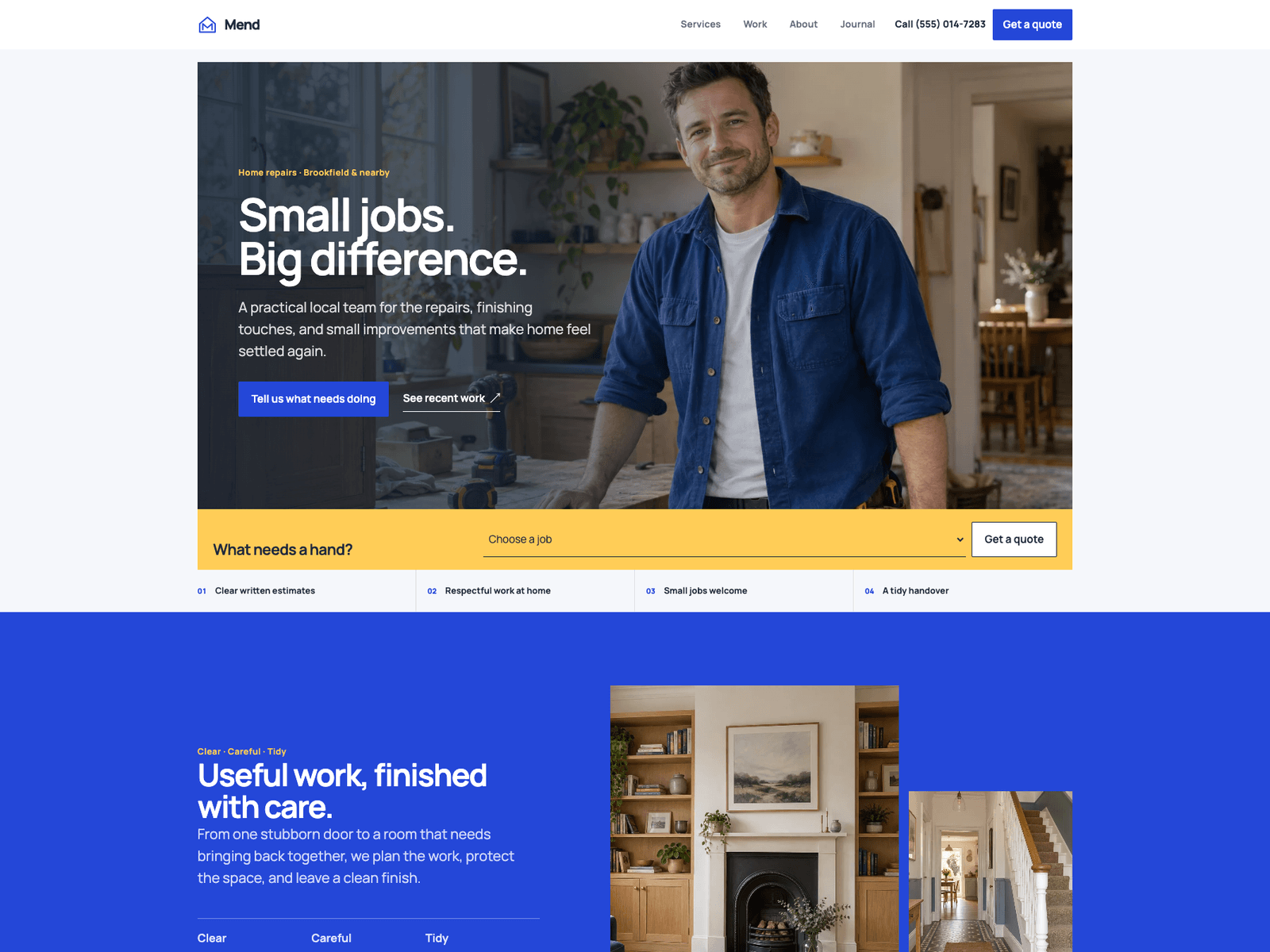
A bright, practical design for businesses that quote by the job. The hero has a job slip: pick a job and the quote form opens with it already chosen. There is a draggable before/after comparison, six service pages, project stories, a service-areas page, reviews and an FAQ.
Pick this one for a repair team, a carpenter, a painter, or any local trade that runs on quote requests. Mend HTML
Drift, for photographers who work in projects
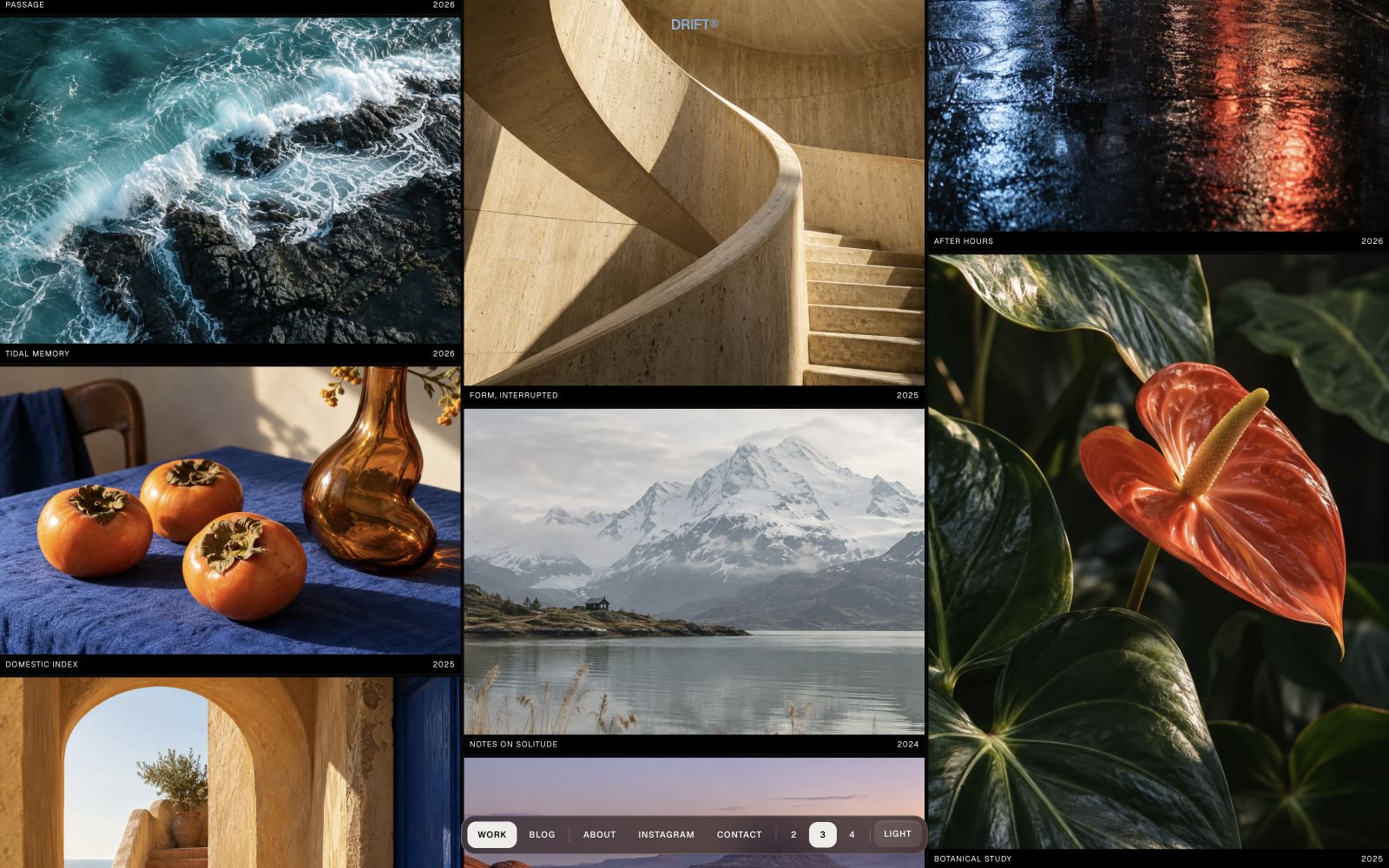
The work sits in gallery columns that move in opposite directions. Click an image for a preview, then open its project page, where the text and extra photographs run in the order you set. Light and dark modes, an About panel, a contact page and an optional blog.
Pick this one if you want the index to move and the project pages to stay calm. Drift HTML
Daymark, for SaaS and product sites
18 pages. Serif headings, four accent colour presets, light and dark modes, a pricing page with a comparison table, a team page, a blog and a changelog. It is built to make an early product look like it has been around a while.
Pick this one if you are launching a product and you want the marketing site done as files you control. Daymark HTML
Axial, for agencies and studios
21 pages, which is a lot of surface for a studio site: work, services, about, journal, the usual contact and legal pages. The design is structural and quiet, the kind of thing that does not fight with the client work you are putting on it.
Pick this one if you run a small agency, or if you build agency sites for other people. Axial HTML
Form Lab, for gyms and fitness
24 pages. Big photography, class schedules, trainer profiles, membership pricing. It leans hard on photography, so budget some time for swapping in real photos of the actual gym.
Pick this one for a gym, a studio, a coach, or any local business that sells sessions. Form Lab HTML
Aperture, for photographers
The whole design runs on one idea: personal work sits on white, commissioned work sits on black, so the background itself tells you which is which. The work index is a plain list of titles, and the photograph follows your cursor as you hover down it. No masonry grid, no testimonials, no price cards.
Pick this one if the pictures are the product and you want the site to get out of their way. Aperture HTML
Tally, for a software product
Blueprint lines in the background, an accent colour that persists across pages, light and dark mode, and app screenshots you swap for your own. It has the pages a real product needs: features, pricing, customers, a changelog, a blog, a waitlist.
Pick this one if you are selling software and want the site to look like the product is already shipping. Tally HTML
Cirrus, for finance and fintech
Calm and sky-bright. A clouds gradient behind the hero, an iPhone mockup with a live dashboard drawn in CSS rather than a screenshot, soft floating UI cards. Features, pricing, about, blog and contact.
Pick this one for a money app, a fintech product, or anything where trust matters more than noise. Cirrus HTML
Every one of these is the same design as its Astro version. Same layouts, same type, same components. What changes is that you get the finished HTML instead of the source, and there is nothing to install.
Most of the catalogue has an HTML edition now, not just these eight. They are all listed on /html-templates/ if none of the eight is the shape of your project.
When you should not buy an HTML template
I would rather you not buy the wrong thing, so here is the honest limit.
If the site has a blog that grows. Every new post means copying a page, editing it by hand, and remembering to add the link to the index. That is fine for post three. It is miserable by post thirty. Buy the Astro edition and write markdown files.
If a client edits it every week. Handing a non-developer an HTML file and asking them to be careful with the tags is how you get a call on a Friday evening. That is what the EmDash CMS editions are for: the client logs in, changes the text on the real page, and publishes. No files, no build.
If you already know Astro. Then there is no reason to give up components and content collections. Take the source.
The way I think about it: HTML editions are for sites that are basically finished the day you launch them. Astro editions are for sites that keep changing. CMS editions are for sites that keep changing and you are not the one changing them.
If you are not sure which one you need, the theme pages have all three editions side by side, and you can open every demo before you decide.
Want to try free ones first? See free HTML templates worth using.
Frequently asked questions
What is an HTML website template? +
A folder of files. You get index.html, about.html, contact.html and so on, plus a CSS file, some JavaScript and the images. You unzip it, double-click index.html, and the site opens in your browser. There is no build step, no npm, no Node. You edit the text in any code editor and upload the folder to any host.
What is the difference between an HTML template and an Astro theme? +
An Astro theme is source code. You run a build and it produces the HTML. That gives you components, a content collection for a blog and one place to change a header. An HTML template is the finished output. Nothing to install, but if you have twenty pages and you change the nav, you change it twenty times.
Are HTML templates still worth using in 2026? +
For the right job, yes. Client hosting on cPanel with no Node, a landing page you hand over as files, a site somebody will edit twice a year, a page you need to drop into an existing PHP or Rails app. In all of those, plain HTML is less machinery and fewer things that can break.
What makes an HTML template responsive? +
In 2026 it should mean fluid type that scales with the viewport instead of three fixed breakpoints, a real mobile menu that opens and closes and traps focus, images that have width and height so the page does not jump, and layouts built with grid and flexbox. Open the file and drag the window narrow. You will know in ten seconds.
Can I use an HTML template for client work? +
Depends on the license, so read it before you buy. Ours allow client work: you can use one template for one client site, and you buy again for the next project. Some marketplaces sell single-use licenses that do not cover resale or redistribution as a template. Check that specific line.
Start from a production-ready Astro theme
Skip building the design from scratch. These themes are full Astro 7 + Tailwind v4 projects you own outright - and you can edit them visually, no code, with the AeroLaunch builder.