Free HTML templates that are actually usable in 2026 (and what free usually costs you)
Where to get free HTML templates that are not five years stale, what to check before you build on one, and the three we give away.
I have downloaded a lot of free HTML templates over the years, and most of them I deleted within twenty minutes. Not because free means bad, but because free usually means old, and old shows up in ways you only see once you start editing.
This is a short honest list: what free normally costs you, three places that still publish good free work, and our own two free picks, which I will mark clearly as ours.
What free HTML templates usually come with
Not always. But often enough that these are the first four things I check.
An old Bootstrap. Bootstrap 3 or 4, which means a grid system you have to learn, class names all over the markup, and a stylesheet far bigger than the site needs. Bootstrap 5 is fine. Bootstrap 3 in 2026 means the template has not been touched since about 2018.
jQuery for things CSS does now. Smooth scroll, a sticky header, a fade on scroll, a menu toggle. All of it is plain CSS or ten lines of vanilla JS now. If a template loads jQuery plus three plugins for that, you are carrying 90KB you did not need.
A mobile nav that half works. This is the big one. It opens but does not close. It closes but the page scrolls underneath. It has no escape key. The hamburger is a background image at a fixed size. Test it before anything else.
No license clarity. A ZIP from a listicle with no LICENSE file inside is not free, it is undefined. You have no written permission to use it, and if a client asks you where the design came from you have nothing to point at.
None of these are dealbreakers if you know how to fix them. They are just work you did not budget for.
Three places that still publish good free work
HTML5 UP. Long-running, one designer, a few dozen templates, all responsive and all genuinely designed rather than assembled. The catch is the license: Creative Commons Attribution, so you keep a credit link in the footer unless you buy the release. Honest trade, clearly stated, and the designs hold up better than most things from the same era.
Start Bootstrap. Free MIT-licensed Bootstrap themes plus a big pile of snippets. MIT is about as easy as a license gets: use it, change it, ship it commercially, no attribution required. The designs are plainer than HTML5 UP’s, which is sometimes exactly what you want as a starting point.
Tailwind UI free components. Not full templates, but the free tier gives you real, well-built sections you can assemble into a page yourself. Worth knowing about if you are comfortable with Tailwind and would rather compose than start from someone else’s whole design.
There are more, obviously, but those three I can vouch for as still maintained and still clear about licensing.
Our two free picks
These are ours, so weigh them accordingly. All three come out of the same build pipeline as the paid HTML editions, verified in the same headless browser, so they are not the crippled kind of free where the good pages are held back for the upgrade.
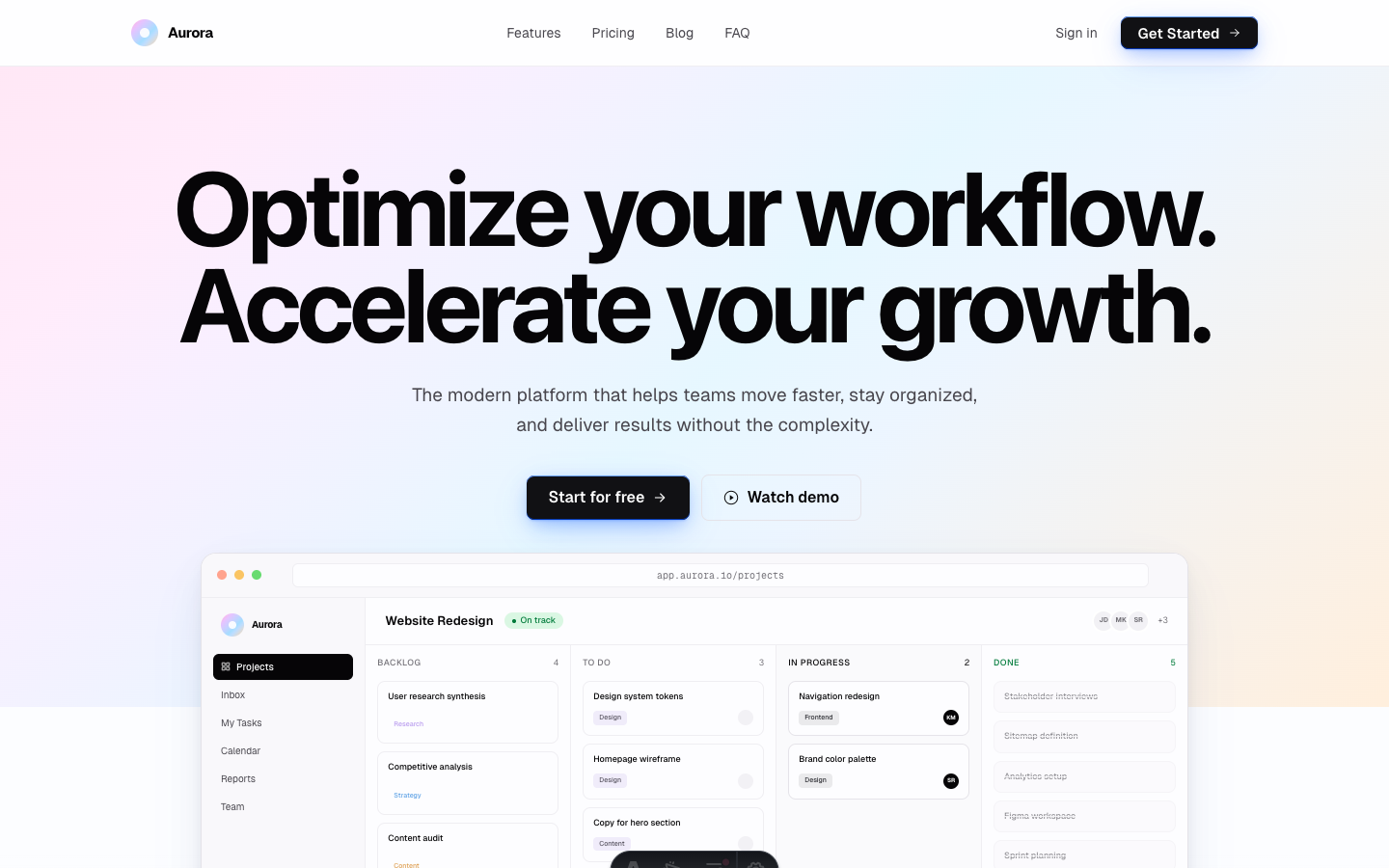
Aurora, for a product or startup page
Aurora started as a free Astro theme, a SaaS landing page with a soft gradient hero and a full blog. The HTML edition is the same design exported as flat files. It is free.
What is in the ZIP:
- 17 pages. Home, features, pricing, about, contact, a blog with posts, the legal pages, a 404.
- One
assets/css/main.csswith a:rootvariables block, so changing the colours is one place. - It opens from disk. Double-click
index.htmland it works, no server, no npm. - A
tailwind/source folder if you ever want to add sections properly instead of hand-writing CSS. - A README with a file map, and a LICENSE.md.
- An MIT-style license covering personal and client work. Read LICENSE.md for the exact terms rather than taking my summary as the contract.
The whole package is under 400KB. It went through the same headless-browser verification as our paid HTML editions: every link resolves from file://, no console errors, the stylesheet actually applies, and the mobile menu toggle changes state.
If you want a good-looking product or startup page online this afternoon and you do not want to install anything, that is the one I would grab.
Spark, for a consumer app
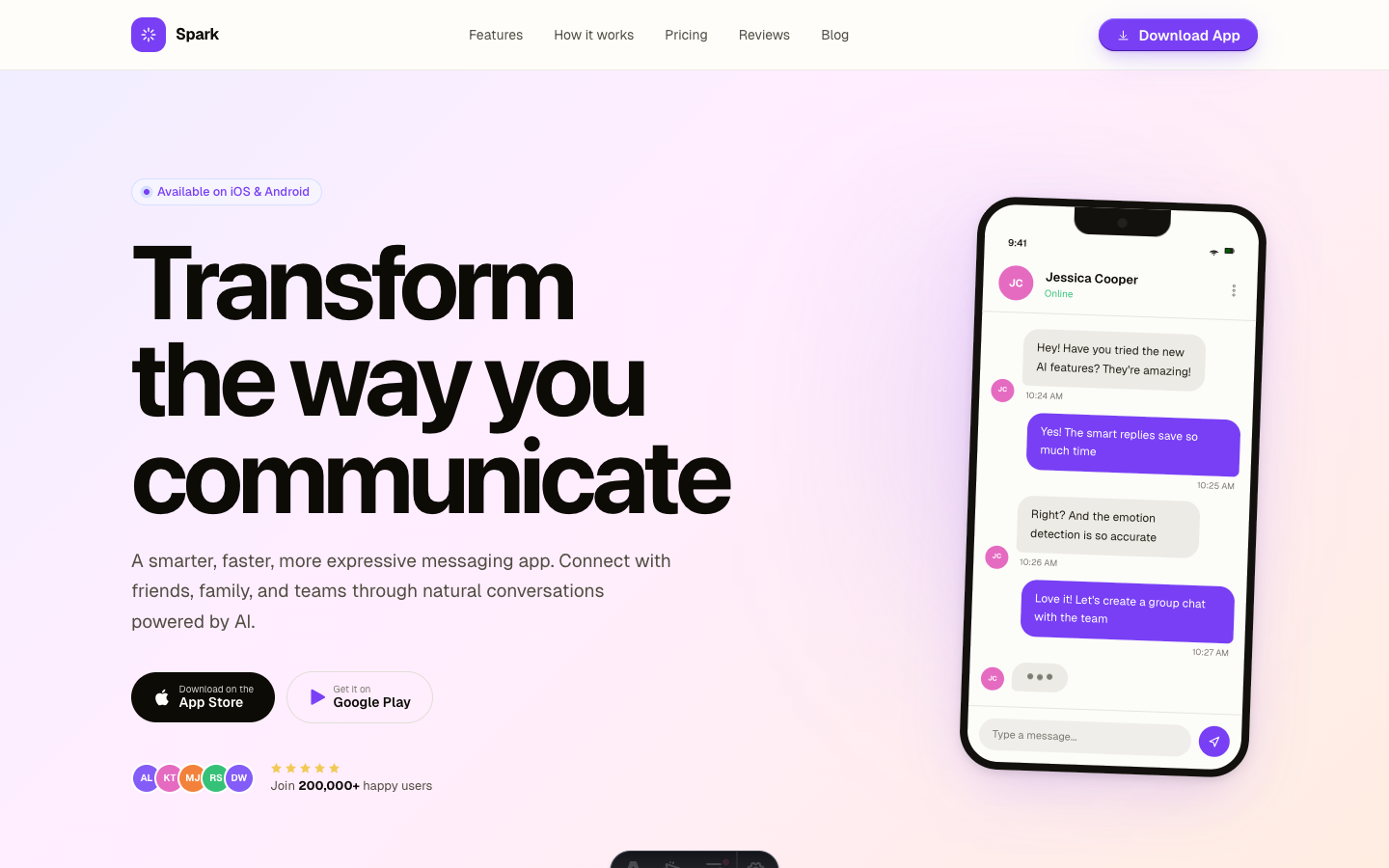
Spark is the app landing page of the set: phone mockups down the page, violet accents, a download page built for store badges rather than a signup form. Home, features, pricing, download, a blog and contact.
Take this one if you are shipping an iOS or Android app and need a page to point the store listing at. It is free. Spark HTML
If you outgrow free
Free is a fine place to start and often a fine place to stay. Two reasons people move on.
You need more site. Aurora and Spark are one design each. If you need a pricing comparison table, a changelog, a team page, class schedules, a case study layout, that is where the $29 HTML editions come in. Daymark for SaaS, Axial for agencies, Form Lab for gyms, same deal: flat HTML, opens from disk, one CSS file. More arrive every week.
The site starts changing. The moment you are publishing a post a week, editing HTML by hand stops being charming. Every one of these designs also exists as an Astro theme where a blog post is a markdown file and the header lives in one component. And for a couple of them there is a CMS edition, where a client logs in and edits the live page without touching a file.
Same designs the whole way up. Start free, and move only when the site makes you.
If you can spend a little, our guide to HTML website templates covers what to look for in a paid one.
Frequently asked questions
Where can I find free HTML templates? +
HTML5 UP has a well-known set of free responsive templates under a Creative Commons license. Start Bootstrap publishes free MIT-licensed Bootstrap themes and snippets. Tailwind UI gives away a set of free components you can assemble yourself. And some theme shops, ours included, publish full free templates to let you try their work.
Are free HTML templates safe to use commercially? +
Only if the license says so, and licenses vary a lot. HTML5 UP's Creative Commons license requires an attribution link unless you buy the release. Start Bootstrap's MIT license does not. Some free downloads on random blogs have no license file at all, which means you have no permission. Always open the LICENSE file first.
What is wrong with most free HTML templates? +
Usually age. Bootstrap 3 or 4, jQuery for things CSS does now, a mobile menu that half works, fixed breakpoints instead of fluid type, and no update since 2019. None of that is fatal, but you inherit the maintenance. Check the last update date before you fall in love with a design.
Do free responsive HTML templates work on mobile? +
Some do, some claim to. The test takes ten seconds: open the file, drag the browser window narrow, and try the menu button. If the nav collapses into a stack of links with no toggle, or the toggle opens nothing, keep looking.
When should I pay for a template instead? +
When the site earns money, when you need more than five or six pages, when a client is paying you and support matters, or when you want a design that is not on a few thousand other sites. Free is a great way to ship your first version and to see whether you like how somebody builds.
Start from a production-ready Astro theme
Skip building the design from scratch. These themes are full Astro 7 + Tailwind v4 projects you own outright - and you can edit them visually, no code, with the AeroLaunch builder.