Dispatch
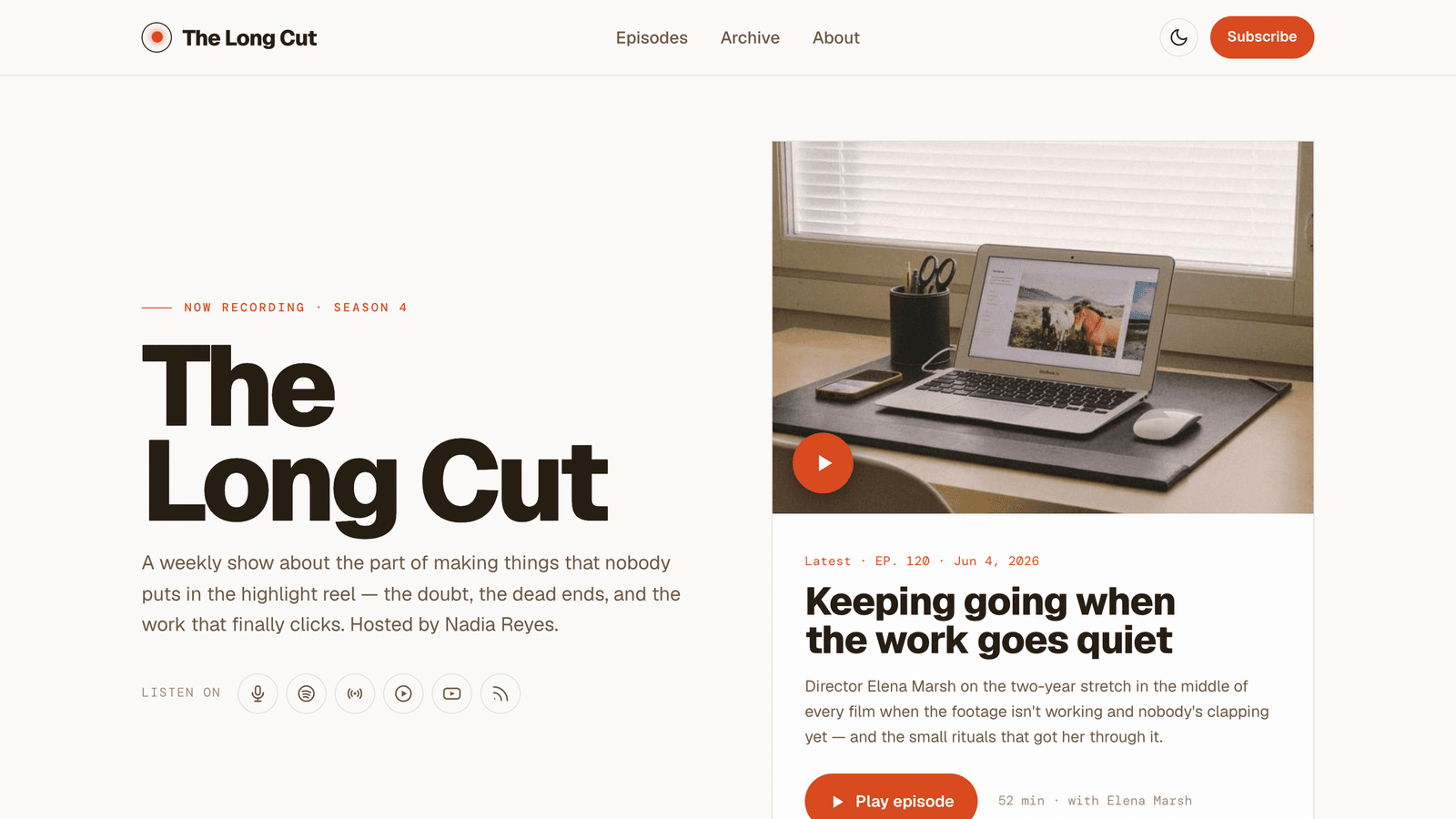
Warm, type-led theme for podcasters & newsletter creators. A sticky branded audio player that keeps playing across pages, a numbered episode index, a unified episodes-and-letters archive, and light + dark.
See Dispatch in action
Every page and section is part of the download. Use these as launch-day templates - keep the structure, swap the copy.
Dispatch is for independent podcasters and newsletter writers who want a home that feels like a real show, not a template. A sticky, branded audio player sits at the bottom of every page and keeps playing as visitors browse - start an episode on the home page and it follows the listener into the show notes and the archive, built on Astro view transitions. Warm Geist type on a film-grained canvas, a single vermillion accent, and hairline-rule kickers make it read premium from the first scroll. It ships light and dark - a warm-paper light mode by default with a one-click nav switch that's remembered between visits. Episodes and letters are written in Markdown, with a unified archive that interleaves both newest-first, plus interactive Browse tabs, a story timeline, an FAQ accordion, a numbered field-notes blog, and a subscribe-and-follow platform grid.
Best Fit For
- Independent and indie podcasters
- Newsletter writers and audio-first creators
- Interview, talk and essay shows
- Creators who publish audio and writing under one brand
- Solo shows that want a premium, type-led look
- Anyone tired of generic podcast templates
Full Page Set
Every page is real and editable - no placeholders, no "coming soon" stubs.
14 Sections Included
Every section is a ready-to-use Astro component. Add it to any page, customize via config, or remove what you don't need.
What's Included
A Player That Follows the Listener
Start an episode on the home page and the sticky, branded player keeps playing as the visitor reads the show notes, the archive, or the about page - built on Astro view transitions, so navigation never interrupts audio. Scrub bar, speed control and episode title, all themed to match.
Warm Light, Espresso Dark
Dispatch ships light-first on a warm-paper canvas, with a one-click nav toggle to an espresso/vermillion dark variant that's remembered between visits. A single vermillion accent, Geist type, a subtle film grain and hairline-rule kickers keep it feeling bespoke - not like every other podcast template.
Audio and Writing, One Brand
Episodes and letters are both Astro Content Collections you write in Markdown, surfaced through a numbered episode index, a field-notes blog, persona Browse tabs, a story timeline, an FAQ, and a unified archive that interleaves both newest-first. Every visible string flows from one config file.
Forms, newsletter, and analytics - pre-wired
Dispatch is ready to connect to your preferred providers. Pick from the options below, drop in a single API key, and your contact form, newsletter signup, and analytics are live - no backend, no JavaScript, no glue code.
Contact form
The Contact section's <form> renders with no JS. Set one provider in site.ts; the form action wires automatically.
- Formspree50 free submissions / month, no domain restriction
- FormSubmitFree, no signup - just an email confirmation
- Netlify FormsFree 100/month - Netlify hosting only
Newsletter
The Newsletter form sends subscribers directly to your ESP. The email input name auto-adjusts per provider.
- MailchimpStandard EMAIL field; honeypot supported
- ConvertKit (Kit)email_address field; works with any form ID
- Buttondownemail field; lightest, indie-friendly
Analytics
Layout.astro injects the right script tag based on the provider you choose. No client-side branching.
- Google Analytics 4Paste your G-XXXXXXXXXX measurement ID
- PlausiblePrivacy-friendly, ~1 KB script, no cookies
- UmamiSelf-hostable, also cookie-free
Tech Stack
Config-Driven Setup
Every theme uses a single src/config/site.ts file
for customization. Change your brand, navigation, form providers, analytics, and section content
without touching component code.
// src/config/site.ts
export const siteConfig = {
  name: "Your Company",
  tagline: "Your tagline here",
  url: "https://yourdomain.com",

  navigation: { sticky: true, links: [...], cta: {...} },
  social:     { twitter: "...", github: "...", linkedin: "..." },
  seo:        { title: "...", description: "...", ogImage: "/og.png" },

  // ── Provider switches ────────────────────────────────
  contactForm: { provider: "formspree",  formspreeId: "your-id" },
  newsletter:  { provider: "convertkit", actionUrl: "https://..." },
  analytics:   { provider: "plausible",  plausibleDomain: "you.com" },

  // ── Section data ─────────────────────────────────────
  team, video, timeline, comparison, gallery,
  carousel, tabs, appDownload, map, footer,
} as const;
Full documentation, ready before you buy
Browse the install guide, the site.ts reference, provider setup, deploy instructions, and the Dispatch-specific page - all live now.