Vertex
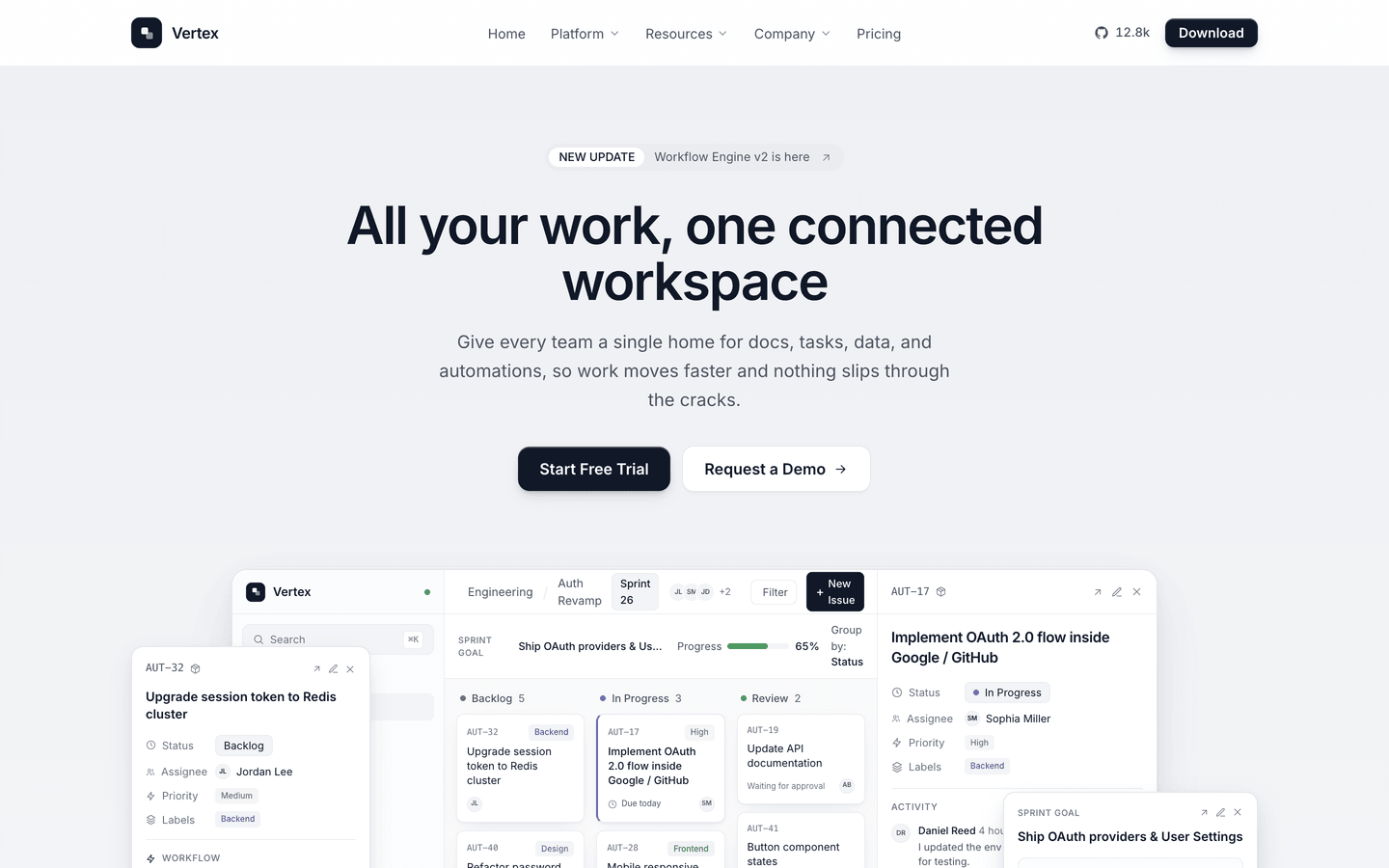
Confident, monochrome SaaS website system. A layered app-mockup hero, a run of live CSS product mockups, a release changelog and blog on content collections, a waitlist, and a 20-section homepage - all from one config file.
Editions: Astro (source), HTML (plain files, no build).
One payment for Vertex and everything else - all 36 themes, every future release, and the Astro visual builder included.
See Vertex in action
Every page and section is part of the download. Use these as launch-day templates - keep the structure, swap the copy.
Vertex is a complete website system for SaaS and startup products that want to look sharp without shouting. The near-monochrome palette - crisp ink on off-white, raised solid-black buttons with an inset sheen - keeps attention on the product, while a layered kanban app mockup and a run of live CSS UI mockups (an API-connector flow, trigger/condition/action rules, an automation builder, a project dashboard) carry the whole product tour with zero image assets. It ships a real site, not just a landing page: 15 page templates including a sticky-date changelog and a card-grid blog (both Astro content collections), an early-access waitlist, a customers page with case studies, an about page with a team grid, and a full 20-section homepage. A config-driven mega-menu, a monthly/annual pricing toggle, provider-switched contact and newsletter forms with no backend, and scroll-reveal throughout. Every heading, link, price, menu item, and per-page SEO title lives in one src/config/site.ts - and any built-in mockup can be swapped for a real screenshot by setting a single image path.
Best Fit For
- SaaS and B2B software products
- Dev-tool, API, and workflow-automation startups
- Seed-stage teams that need a credible marketing site fast
- Anyone launching with a waitlist before the product ships
- Teams that want a changelog and blog out of the box
Full Page Set
Every page is real and editable - no placeholders, no "coming soon" stubs.
20 Sections Included
Every section is a ready-to-use Astro component. Add it to any page, customize via config, or remove what you don't need.
What's Included
A Product Tour, Not Just a Hero
Vertex carries the whole page on live CSS interface mockups - a layered kanban app, an API-connector flow, trigger/condition/action rules, and a project dashboard - so it looks like real software from the first scroll, with zero image assets to manage.
A Complete Site Out of the Box
Fifteen page templates including a sticky-date changelog and a blog (both Astro content collections), an early-access waitlist, customers with case studies, and an about page with a team grid. Launch the marketing site, the release notes, and the blog on day one.
One Config File, Swappable Mockups
Every heading, link, price, menu item, and per-page SEO title flows from src/config/site.ts - brand the whole site without touching a component. And any built-in mockup can be replaced with your own screenshot by setting a single image path.
Forms, newsletter, and analytics - pre-wired
Vertex is ready to connect to your preferred providers. Pick from the options below, drop in a single API key, and your contact form, newsletter signup, and analytics are live - no backend, no JavaScript, no glue code.
Contact form
The Contact section's <form> renders with no JS. Set one provider in site.ts; the form action wires automatically.
- Formspree50 free submissions / month, no domain restriction
- FormSubmitFree, no signup - just an email confirmation
- Netlify FormsFree 100/month - Netlify hosting only
Newsletter
The Newsletter form sends subscribers directly to your ESP. The email input name auto-adjusts per provider.
- MailchimpStandard EMAIL field; honeypot supported
- ConvertKit (Kit)email_address field; works with any form ID
- Buttondownemail field; lightest, indie-friendly
Analytics
Layout.astro injects the right script tag based on the provider you choose. No client-side branching.
- Google Analytics 4Paste your G-XXXXXXXXXX measurement ID
- PlausiblePrivacy-friendly, ~1 KB script, no cookies
- UmamiSelf-hostable, also cookie-free
Tech Stack
Config-Driven Setup
Every theme uses a single src/config/site.ts file for customization. Change your brand, navigation, form providers, analytics, and section content without touching component code.
// src/config/site.ts
export const siteConfig = {
  name: "Your Company",
  tagline: "Your tagline here",
  url: "https://yourdomain.com",

  navigation: { sticky: true, links: [...], cta: {...} },
  social:     { twitter: "...", github: "...", linkedin: "..." },
  seo:        { title: "...", description: "...", ogImage: "/og.png" },

  // ── Provider switches ────────────────────────────────
  contactForm: { provider: "formspree",  formspreeId: "your-id" },
  newsletter:  { provider: "convertkit", actionUrl: "https://..." },
  analytics:   { provider: "plausible",  plausibleDomain: "you.com" },

  // ── Section data ─────────────────────────────────────
  team, video, timeline, comparison, gallery,
  carousel, tabs, appDownload, map, footer,
} as const;Built to be edited by AI
Vertex ships an AGENTS.md and
a CLAUDE.md at the project root.
Claude Code, Cursor, Copilot, and Codex read them the moment you open the folder.
So your agent starts knowing which file to edit, which design decisions are deliberate, and which parts of the theme break quietly if touched. You get the right change on the first pass instead of a confident guess.
- A task map. Every common request routed to the exact file, so no time is spent exploring.
- Design invariants. The decisions that make the theme worth buying, marked do-not-touch.
- The traps. The specific things that break this theme silently, written down.
- A done checklist. What to build, what to scroll, what to verify before claiming success.
# AGENTS.md - Vertex

## Task map
| The client wants to change | Edit |
|---|---|
| Brand name, logo, favicon | site.ts -> identity     |
| Colors                    | site.ts -> theme        |
| Any homepage copy         | site.ts -> home.<block> |
| Add a page or an article  | new .md in src/content/ |

Rule: copy belongs in site.ts, never inside a component.

## Design invariants
Do not "improve" these. They are why the theme is worth its price.
- The accent stays loud. Do not mute or pastel it.
- Display headings stay oversized. The scale is the design.

## Traps
The things that break this theme silently, written down,
so your agent does not have to discover them by breaking them.

## Before you say you are done
npm run build      # must succeed and emit every route
Scroll each page to the bottom. Report what you did not verify.
Excerpt. The full file ships with the theme.
The same design as plain HTML
No Astro, no npm, no build step. Unzip the folder, open index.html straight from your disk and it works. Every page is a plain .html file you edit in any editor, the styling lives in one readable CSS file with the colours at the top, and an optional Tailwind folder is there if you want utility classes back. Deploy it to any static host: Netlify, Cloudflare Pages, GitHub Pages or plain cPanel.
Full documentation, ready before you buy
Browse the install guide, the site.ts reference, provider setup, deploy instructions, and the Vertex-specific page - all live now.
More themes from the collection.
Slab
SaaS / Startup
Tally
SaaS / Startup
Falcon
Agency / Portfolio / Blog
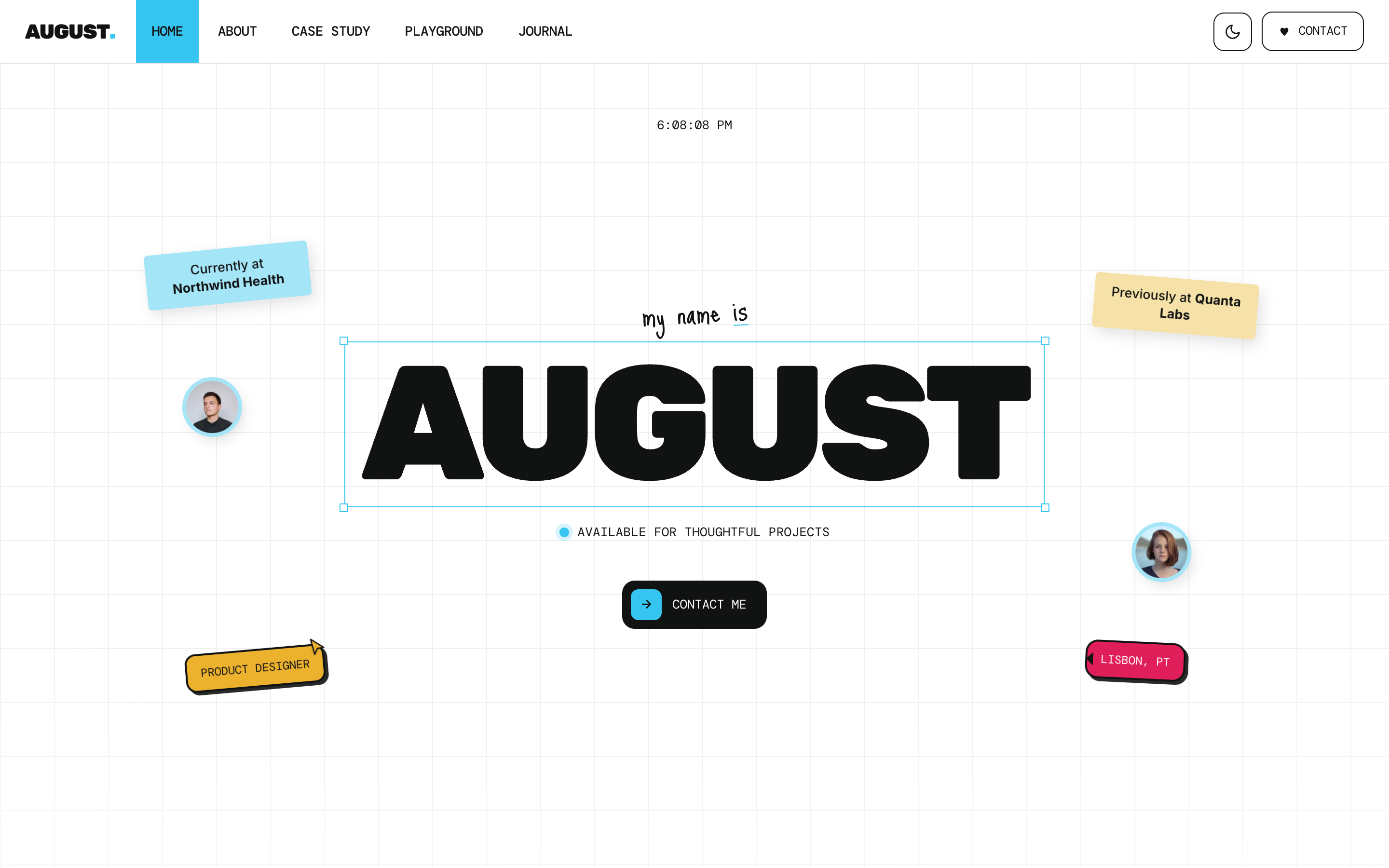
August
Personal / Portfolio / SaaS
Or get every theme - these included - with the All-Access Pass.