Midnight
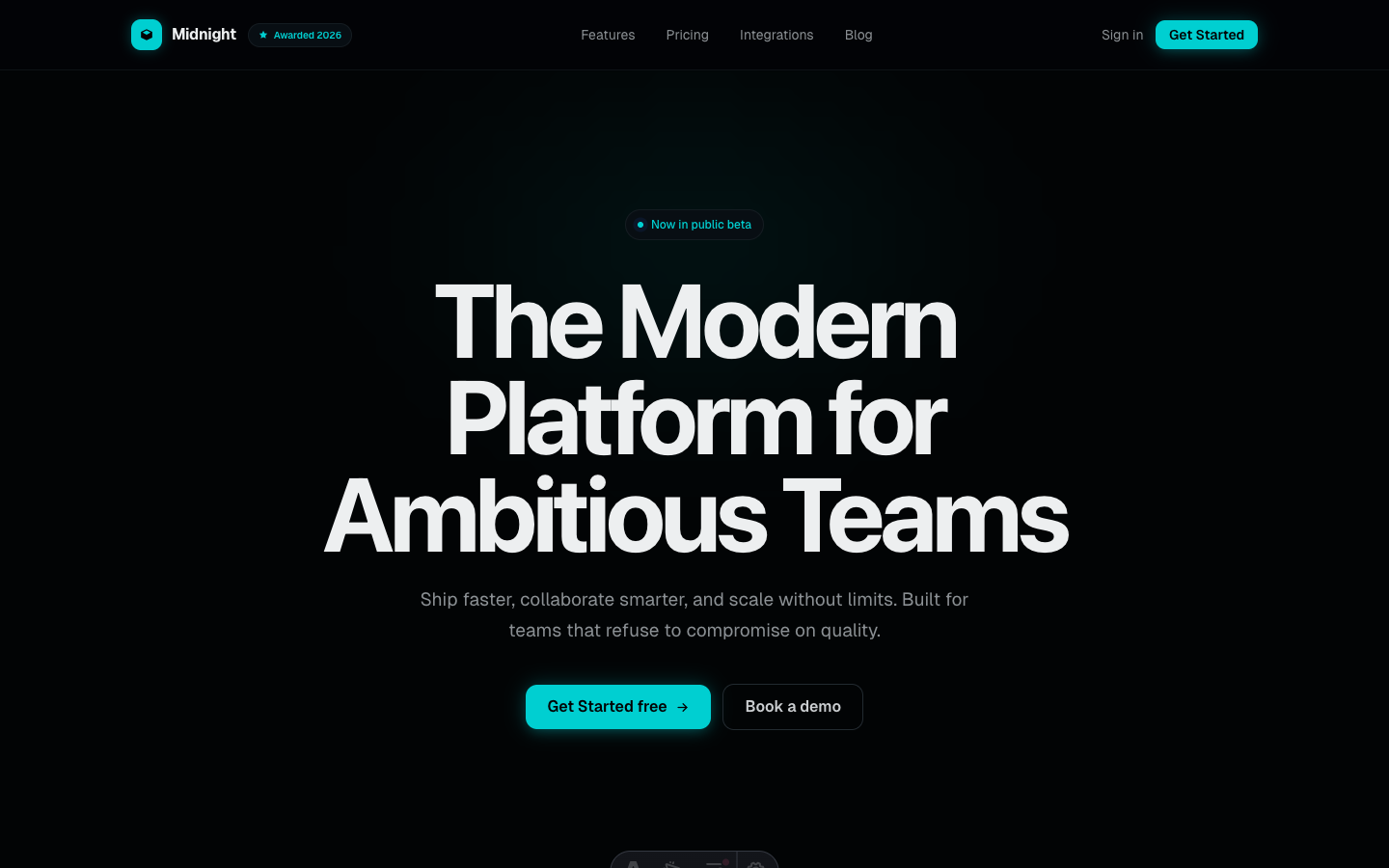
Dramatic dark SaaS theme with neon cyan accents and subtle glow effects.
See Midnight in action
Every page and section is part of the download. Use these as launch-day templates - keep the structure, swap the copy.
Midnight is for tech startups and developer tools that want dramatic dark mode with energy. Neon cyan accents with subtle glow effects, integration grids, and a dashboard showcase.
Best Fit For
- Developer tools
- API platforms
- DevOps products
- Tech startups
- AI/ML platforms
- Cloud infrastructure
- Monitoring tools
Full Page Set
Every page is real and editable - no placeholders, no "coming soon" stubs.
27 Sections Included
Every section is a ready-to-use Astro component. Add it to any page, customize via config, or remove what you don't need.
What's Included
Glow Effects That Don't Feel Gimmicky
Midnight's neon cyan glow is applied with restraint - subtle halos on hover states, soft edge lighting on cards, and a gentle gradient wash on the hero. The effect feels energetic and technical without crossing into gaming territory.
Built for Developer Audiences
Code snippets, API examples, integration grids, and usage-based pricing. Midnight speaks the visual language developers expect from tools they trust. Every section is designed to answer the questions technical buyers actually ask.
Integration Grid That Shows Ecosystem
The integrations page displays partner logos in a filterable grid with connection status indicators. It tells prospects 'we work with your existing stack' - one of the most common objections eliminated with a single page.
Forms, newsletter, and analytics - pre-wired
Midnight is ready to connect to your preferred providers. Pick from the options below, drop in a single API key, and your contact form, newsletter signup, and analytics are live - no backend, no JavaScript, no glue code.
Contact form
The Contact section's <form> renders with no JS. Set one provider in site.ts; the form action wires automatically.
- Formspree50 free submissions / month, no domain restriction
- FormSubmitFree, no signup - just an email confirmation
- Netlify FormsFree 100/month - Netlify hosting only
Newsletter
The Newsletter form sends subscribers directly to your ESP. The email input name auto-adjusts per provider.
- MailchimpStandard EMAIL field; honeypot supported
- ConvertKit (Kit)email_address field; works with any form ID
- Buttondownemail field; lightest, indie-friendly
Analytics
Layout.astro injects the right script tag based on the provider you choose. No client-side branching.
- Google Analytics 4Paste your G-XXXXXXXXXX measurement ID
- PlausiblePrivacy-friendly, ~1 KB script, no cookies
- UmamiSelf-hostable, also cookie-free
Tech Stack
Config-Driven Setup
Every theme uses a single src/config/site.ts file
for customization. Change your brand, navigation, form providers, analytics, and section content
without touching component code.
// src/config/site.ts
export const siteConfig = {
  name: "Your Company",
  tagline: "Your tagline here",
  url: "https://yourdomain.com",

  navigation: { sticky: true, links: [...], cta: {...} },
  social:     { twitter: "...", github: "...", linkedin: "..." },
  seo:        { title: "...", description: "...", ogImage: "/og.png" },

  // ── Provider switches ────────────────────────────────
  contactForm: { provider: "formspree",  formspreeId: "your-id" },
  newsletter:  { provider: "convertkit", actionUrl: "https://..." },
  analytics:   { provider: "plausible",  plausibleDomain: "you.com" },

  // ── Section data ─────────────────────────────────────
  team, video, timeline, comparison, gallery,
  carousel, tabs, appDownload, map, footer,
} as const;
Full documentation, ready before you buy
Browse the install guide, the site.ts reference, provider setup, deploy instructions, and the Midnight-specific page - all live now.