Slab
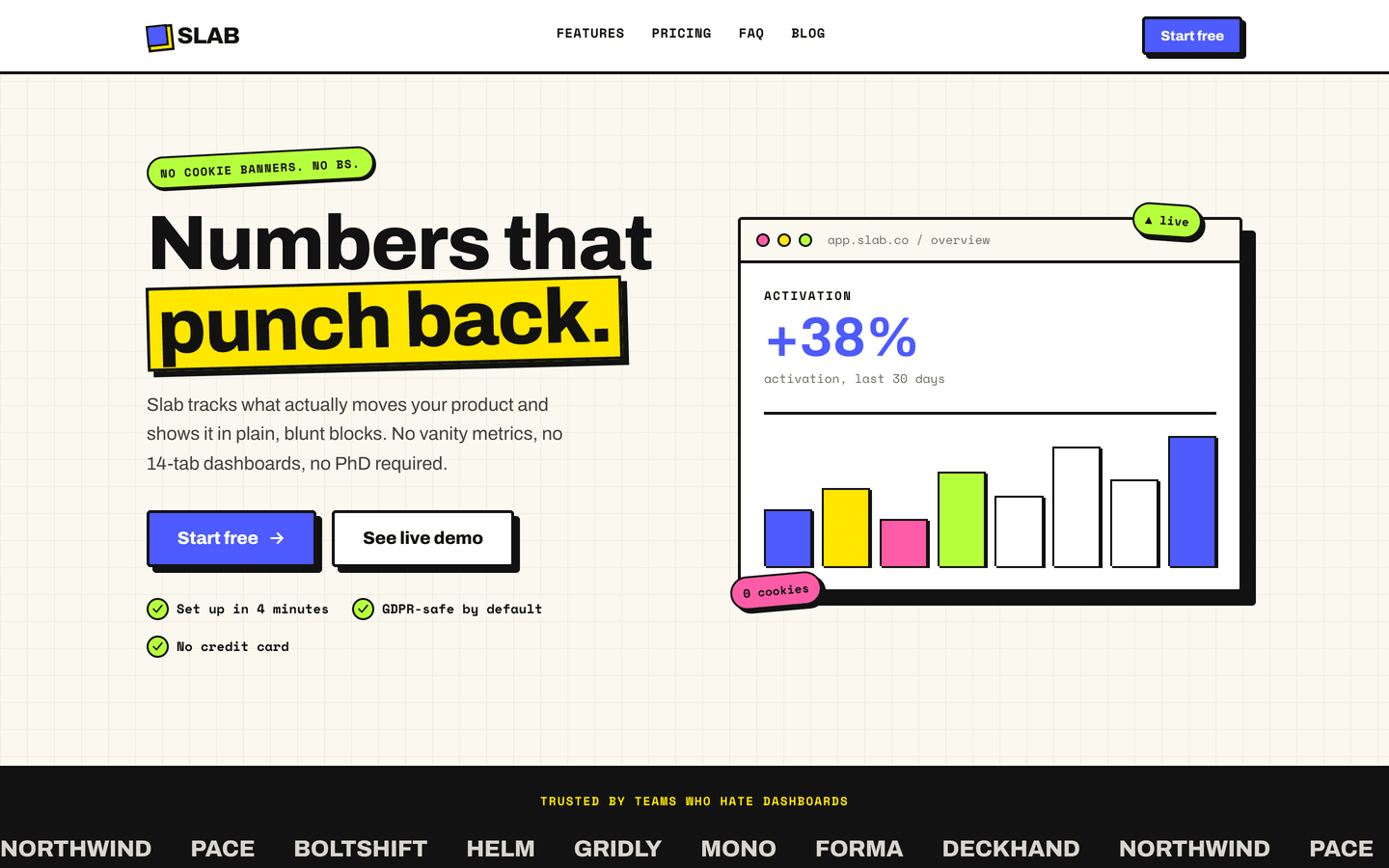
Neo-brutalist SaaS / startup theme. Thick ink borders, hard offset shadows, clashing block color, a fake product-window hero, and a seamless logo marquee.
See Slab in action
Every page and section is part of the download. Use these as launch-day templates - keep the structure, swap the copy.
Slab is for SaaS startups and indie tools whose landing page should look like it has an opinion. A neo-brutalist system built on purpose: 3px ink borders, hard offset shadows, and a clashing block palette (cobalt, acid, bubble, lime, grape, tangerine) used as flat color, never gradients. Buttons physically press into their shadow on click. The hero ships a fake 'app.slab.co' product window with a live-looking bar chart, and the logo marquee loops seamlessly with no gap. None of the soft-shadow, blue-gradient SaaS sameness.
Best Fit For
- SaaS startups and indie software products
- Developer tools and APIs
- Analytics / dashboard / data products
- Bootstrapped founders who want personality
- Product launch landing pages
- Anyone tired of blue-gradient SaaS sameness
Full Page Set
Every page is real and editable - no placeholders, no "coming soon" stubs.
16 Sections Included
Every section is a ready-to-use Astro component. Add it to any page, customize via config, or remove what you don't need.
What's Included
A Product Window, Not a Stock Photo
Slab's hero ships a framed 'app.slab.co' window with a real-looking bar chart, live/cookie pills, and an activation metric - the kind of product shot a SaaS landing page normally pays a designer for. It does the trust-building work without a single line of marketing fluff.
Buttons That Press
Every primary button sits on a hard offset shadow and physically translates down into it on click. Combined with 3px ink borders and flat block colors, the whole UI feels tactile and built - the opposite of the soft-shadow, low-contrast SaaS template everyone ships.
A Marquee That Actually Loops
The logo ticker clones itself until it exceeds the viewport, then mirrors for a true -50% loop - no gap, no snap, on any screen width or number of logos. It pauses on hover and respects reduced-motion. Small detail, but it's the kind most templates get wrong.
Forms, newsletter, and analytics - pre-wired
Slab is ready to connect to your preferred providers. Pick from the options below, drop in a single API key, and your contact form, newsletter signup, and analytics are live - no backend, no JavaScript, no glue code.
Contact form
The Contact section's <form> renders with no JS. Set one provider in site.ts; the form action wires automatically.
- Formspree50 free submissions / month, no domain restriction
- FormSubmitFree, no signup - just an email confirmation
- Netlify FormsFree 100/month - Netlify hosting only
Newsletter
The Newsletter form sends subscribers directly to your ESP. The email input name auto-adjusts per provider.
- MailchimpStandard EMAIL field; honeypot supported
- ConvertKit (Kit)email_address field; works with any form ID
- Buttondownemail field; lightest, indie-friendly
Analytics
Layout.astro injects the right script tag based on the provider you choose. No client-side branching.
- Google Analytics 4Paste your G-XXXXXXXXXX measurement ID
- PlausiblePrivacy-friendly, ~1 KB script, no cookies
- UmamiSelf-hostable, also cookie-free
Tech Stack
Config-Driven Setup
Every theme uses a single src/config/site.ts file
for customization. Change your brand, navigation, form providers, analytics, and section content
without touching component code.
// src/config/site.ts
export const siteConfig = {
  name: "Your Company",
  tagline: "Your tagline here",
  url: "https://yourdomain.com",

  navigation: { sticky: true, links: [...], cta: {...} },
  social:     { twitter: "...", github: "...", linkedin: "..." },
  seo:        { title: "...", description: "...", ogImage: "/og.png" },

  // ── Provider switches ────────────────────────────────
  contactForm: { provider: "formspree",  formspreeId: "your-id" },
  newsletter:  { provider: "convertkit", actionUrl: "https://..." },
  analytics:   { provider: "plausible",  plausibleDomain: "you.com" },

  // ── Section data ─────────────────────────────────────
  team, video, timeline, comparison, gallery,
  carousel, tabs, appDownload, map, footer,
} as const;