Obsidian
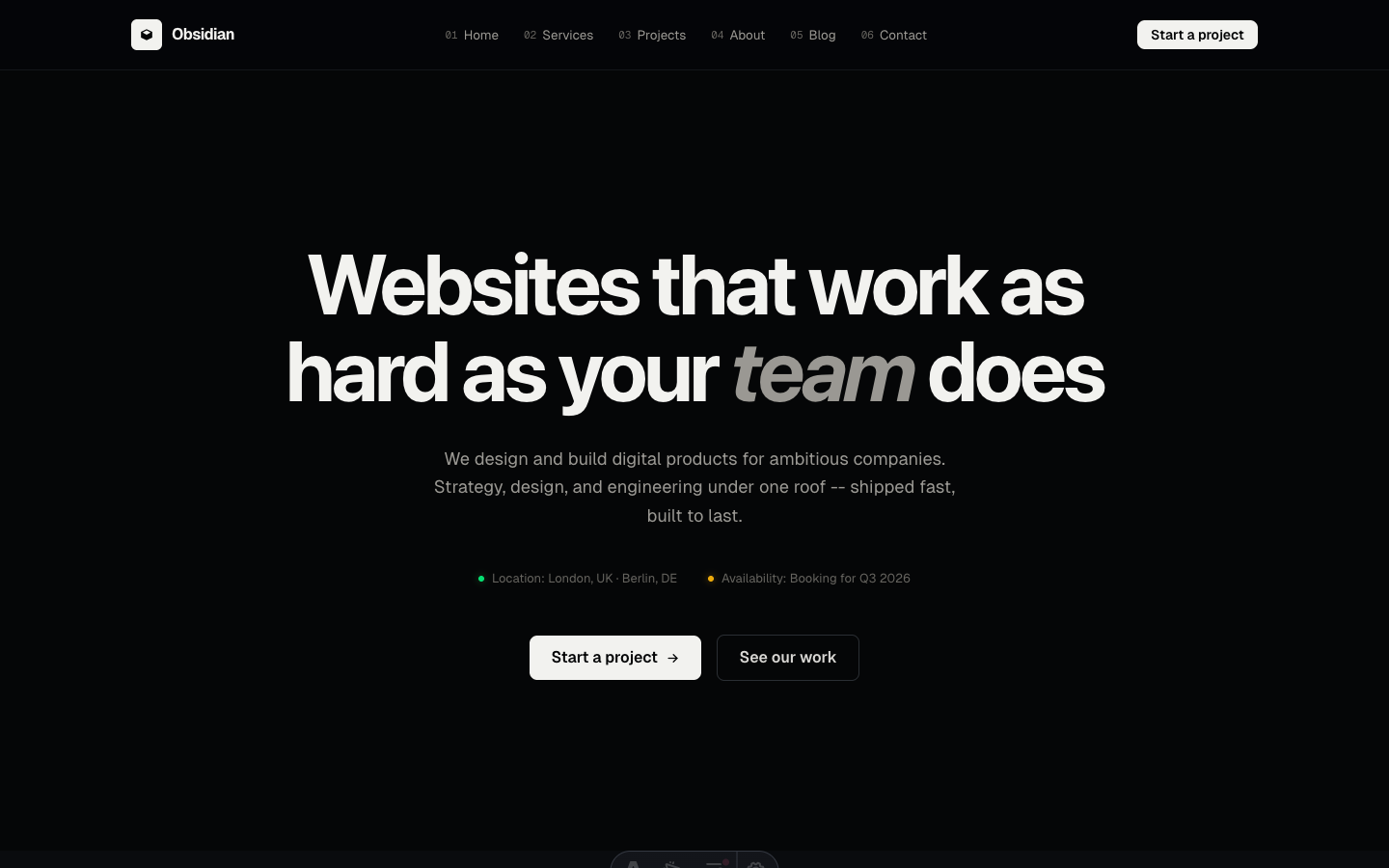
Full dark mode agency theme with numbered sections and italic accent typography.
See Obsidian in action
Every page and section is part of the download. Use these as launch-day templates - keep the structure, swap the copy.
Obsidian is full dark mode for agencies and studios that want to stand out. Numbered sections, italic accent words in every heading, and white-on-dark typography that commands attention.
Best Fit For
- Digital agencies
- Creative studios
- Brand consultancies
- Video production firms
- Architecture studios
- Motion design agencies
Full Page Set
Every page is real and editable - no placeholders, no "coming soon" stubs.
29 Sections Included
Every section is a ready-to-use Astro component. Add it to any page, customize via config, or remove what you don't need.
What's Included
Dark Mode, Not Dark Mess
Obsidian uses carefully calibrated grays - not pure black - with precise contrast ratios that pass accessibility standards. The result is a dark theme that feels rich and intentional, not like someone just inverted a light design.
Numbered Sections as Navigation
Each major section gets a large serif number that doubles as a visual anchor. As visitors scroll, the numbered rhythm creates a sense of progression and structure that keeps them oriented and engaged.
Italic Accents That Break the Grid
Key words in each heading are set in italic, breaking the monotony of all-caps or all-regular headings. This small typographic move adds warmth and personality to an otherwise minimal dark interface.
Forms, newsletter, and analytics - pre-wired
Obsidian is ready to connect to your preferred providers. Pick from the options below, drop in a single API key, and your contact form, newsletter signup, and analytics are live - no backend, no JavaScript, no glue code.
Contact form
The Contact section's <form> renders with no JS. Set one provider in site.ts; the form action wires automatically.
- Formspree50 free submissions / month, no domain restriction
- FormSubmitFree, no signup - just an email confirmation
- Netlify FormsFree 100/month - Netlify hosting only
Newsletter
The Newsletter form sends subscribers directly to your ESP. The email input name auto-adjusts per provider.
- MailchimpStandard EMAIL field; honeypot supported
- ConvertKit (Kit)email_address field; works with any form ID
- Buttondownemail field; lightest, indie-friendly
Analytics
Layout.astro injects the right script tag based on the provider you choose. No client-side branching.
- Google Analytics 4Paste your G-XXXXXXXXXX measurement ID
- PlausiblePrivacy-friendly, ~1 KB script, no cookies
- UmamiSelf-hostable, also cookie-free
Tech Stack
Config-Driven Setup
Every theme uses a single src/config/site.ts file
for customization. Change your brand, navigation, form providers, analytics, and section content
without touching component code.
// src/config/site.ts
export const siteConfig = {
  name: "Your Company",
  tagline: "Your tagline here",
  url: "https://yourdomain.com",

  navigation: { sticky: true, links: [...], cta: {...} },
  social:     { twitter: "...", github: "...", linkedin: "..." },
  seo:        { title: "...", description: "...", ogImage: "/og.png" },

  // ── Provider switches ────────────────────────────────
  contactForm: { provider: "formspree",  formspreeId: "your-id" },
  newsletter:  { provider: "convertkit", actionUrl: "https://..." },
  analytics:   { provider: "plausible",  plausibleDomain: "you.com" },

  // ── Section data ─────────────────────────────────────
  team, video, timeline, comparison, gallery,
  carousel, tabs, appDownload, map, footer,
} as const;
Full documentation, ready before you buy
Browse the install guide, the site.ts reference, provider setup, deploy instructions, and the Obsidian-specific page - all live now.