Skip to content
Contractor websites

Contractor and construction website templates.

Three website templates made for builders, trades and home services, with service pages, quote forms, project photos and your service area. Click a card for the pages, screenshots and live demo. Each one is a one-time payment from $49, and you can change every word and photo in the visual builder without writing code.

How the three compare

All three are complete websites with a home page, your services, a contact page and a blog. They differ in how they look and in what the home page puts first.

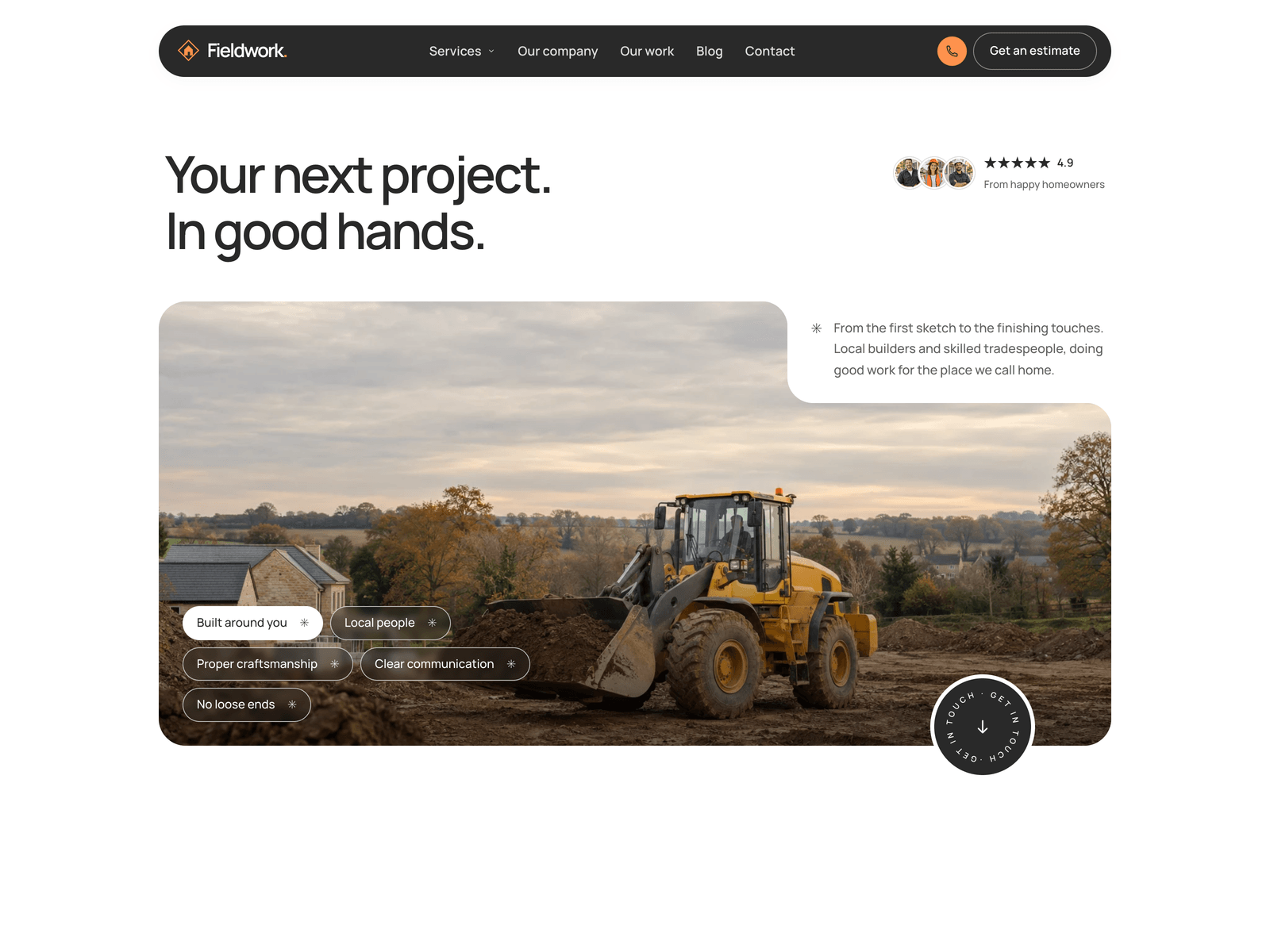
Fieldwork

Builders, renovation and extension teams, carpenters, repair and maintenance

  • Three service pages and three project stories
  • A team section with photos, names and roles
  • Two estimate buttons, small jobs and bigger projects, that open the contact form with the service already picked
  • A call button and an estimate button in the header
  • A blog with three sample articles

Editions: Astro $49, HTML $29, Next.js $49

Editable in the visual builder

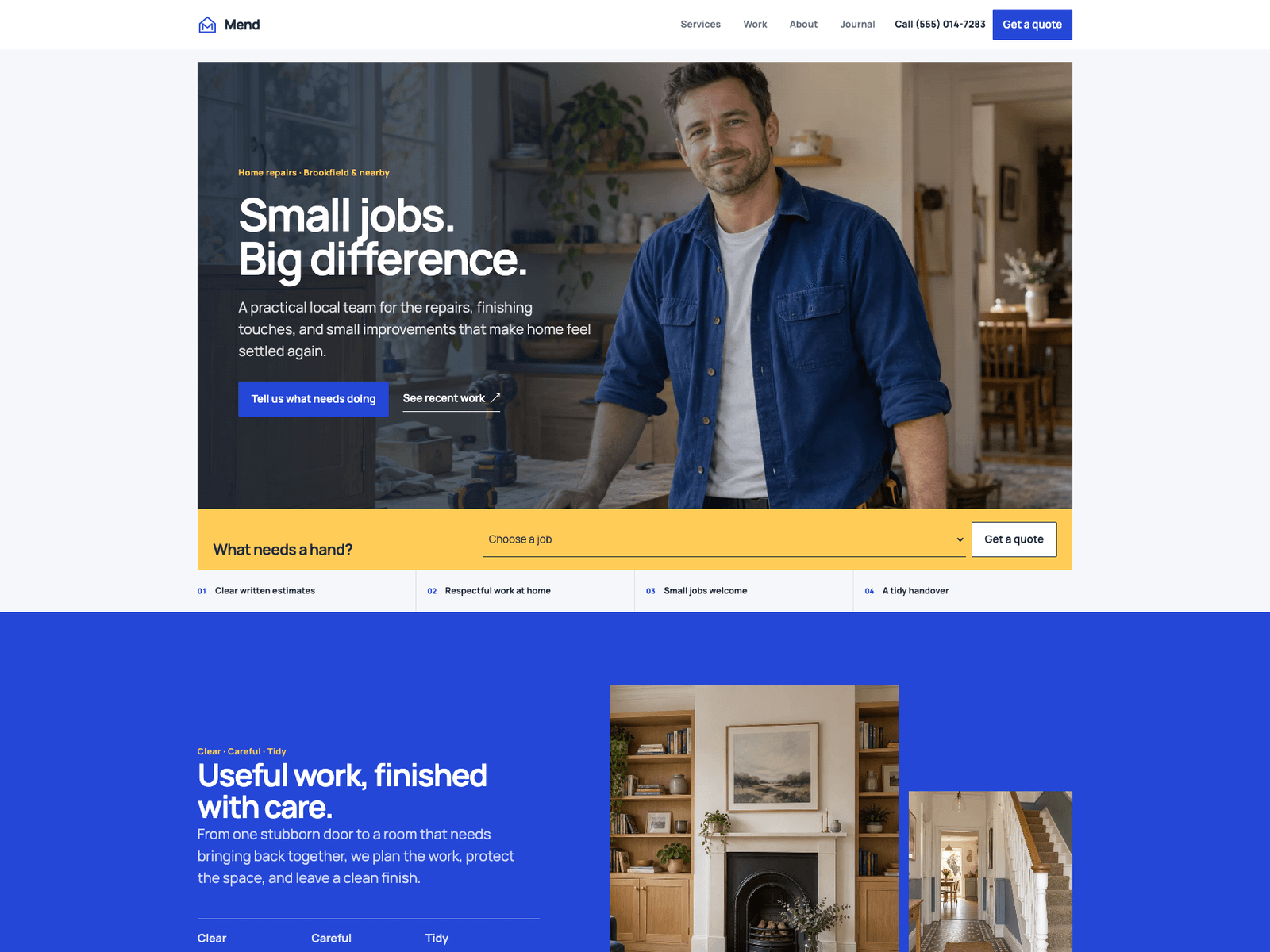
Mend

Trades that quote by the job: repairs, carpenters, painters, fitters

  • Six service pages and three project stories
  • A before and after photo slider
  • A service areas page for the towns you cover
  • A quote form that asks for the service, the job details and the postcode
  • Business details marked up for Google (HomeAndConstructionBusiness)

Editions: Astro $49, HTML $29

Editable in the visual builder

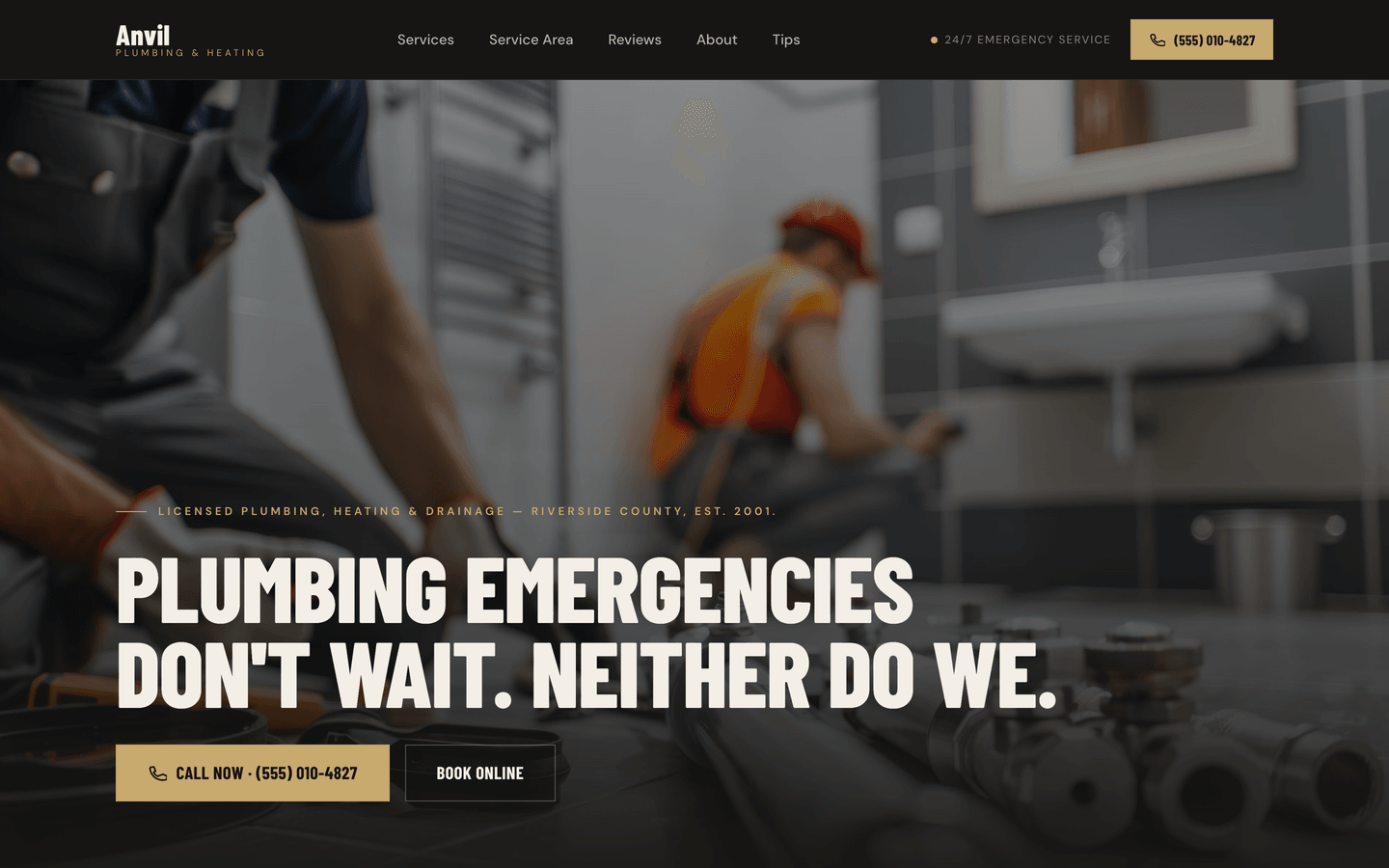
Anvil

Plumbers, electricians, HVAC, roofers, landscapers, cleaners

  • A dark charcoal design with one amber accent
  • A before and after photo slider
  • A service area section with your towns and a map
  • A quote form, a contact form and a call bar that stays on screen
  • Business details marked up for Google (LocalBusiness)

Editions: Astro $49

Editable in the visual builder

What a contractor website has to do

A website for a trade business has one job: turn someone who found you into a call or a quote request. These are the parts that do it, and where each theme covers them.

Make it easy to call you

Most people looking for a builder or a plumber are on their phone. All three put your number behind a call button, and Anvil keeps a call bar on screen as people scroll.

Ask what the job is

A quote form that asks which service the visitor needs saves you a phone call. Fieldwork's estimate buttons and Mend's job slip open the form with the service already picked.

Show your own work

Photos of jobs you finished do more than stock photos. Fieldwork and Mend have a page for each project, and Mend and Anvil have a slider that shows a job before and after.

Say where you work

List the towns you cover so people know you'll come out to them. Mend has a page for service areas, Anvil has a section with a map, and Fieldwork shows your service area with your contact details.

Give Google your business details

Your name, phone, opening hours and service area, written the same way on every page. Mend and Anvil also mark these up as structured data that Google can read directly.

Do it yourself, or have it done

Pick the option that matches how much time you want to spend on your website.

Edit it in the builder

Click on the page and type. Swap in photos of your own jobs, add your phone number and your towns, and change the colours. Builder access with one theme is $69, paid once. Already own the theme? Builder access on its own is $39.

Read the step-by-step guide

Have us set it up

Send us your text, photos and logo, and we put them into the theme you pick. You review a preview with two rounds of changes, then get the finished site and a step-by-step guide to put it online. $299, theme included, 5 business days after your brief is complete.

How Done-For-You works

Edit the files

For you or your developer if you're comfortable with code. The text, services and contact details sit in one config file. Fieldwork and Mend also come as plain HTML templates that need no build step.

Read the docs
FAQ

Questions contractors ask

Do I need to know how to code?
No. In the visual builder you click on the page and type, and you upload your own photos the same way. All three of these themes work in the builder. The one technical step is putting the finished site online with a web host, which the step-by-step guide explains.
Is there a monthly fee?
No. The themes and the builder are one-time payments. Hosting a site like this is usually free on Cloudflare Pages, Netlify or Vercel. You still pay for your domain name wherever you registered it.
Which trades are these for?
Fieldwork is set up for builders, renovation and extension teams, carpenters and repair work. Mend suits trades that quote by the job, such as carpenters, painters and fitters. Anvil is aimed at plumbers, electricians, HVAC techs, roofers, landscapers and cleaners. You can change every word, so any of them works for another trade too.
How do quote requests reach me?
The forms send to a form service: Formspree or FormSubmit, which email you each request, or Netlify Forms if your site is on Netlify. You choose the service in the builder or in the config file. Until you pick one, the form doesn't send anywhere.
Will the site get me on Google?
Nobody can promise a ranking. What helps a local business is a fast site that works on a phone, clear pages for each service, your towns, and consistent business details. These themes give you those pieces, and you add your own content and photos.
Who owns the website?
You do. You download the complete project and can host it anywhere. If you hire a developer later, they get a normal project they can work on.

Start with the demos.

Click through each one on your phone, the way your customers will. When one fits your business, the guide shows you how to make it yours.