Graphite
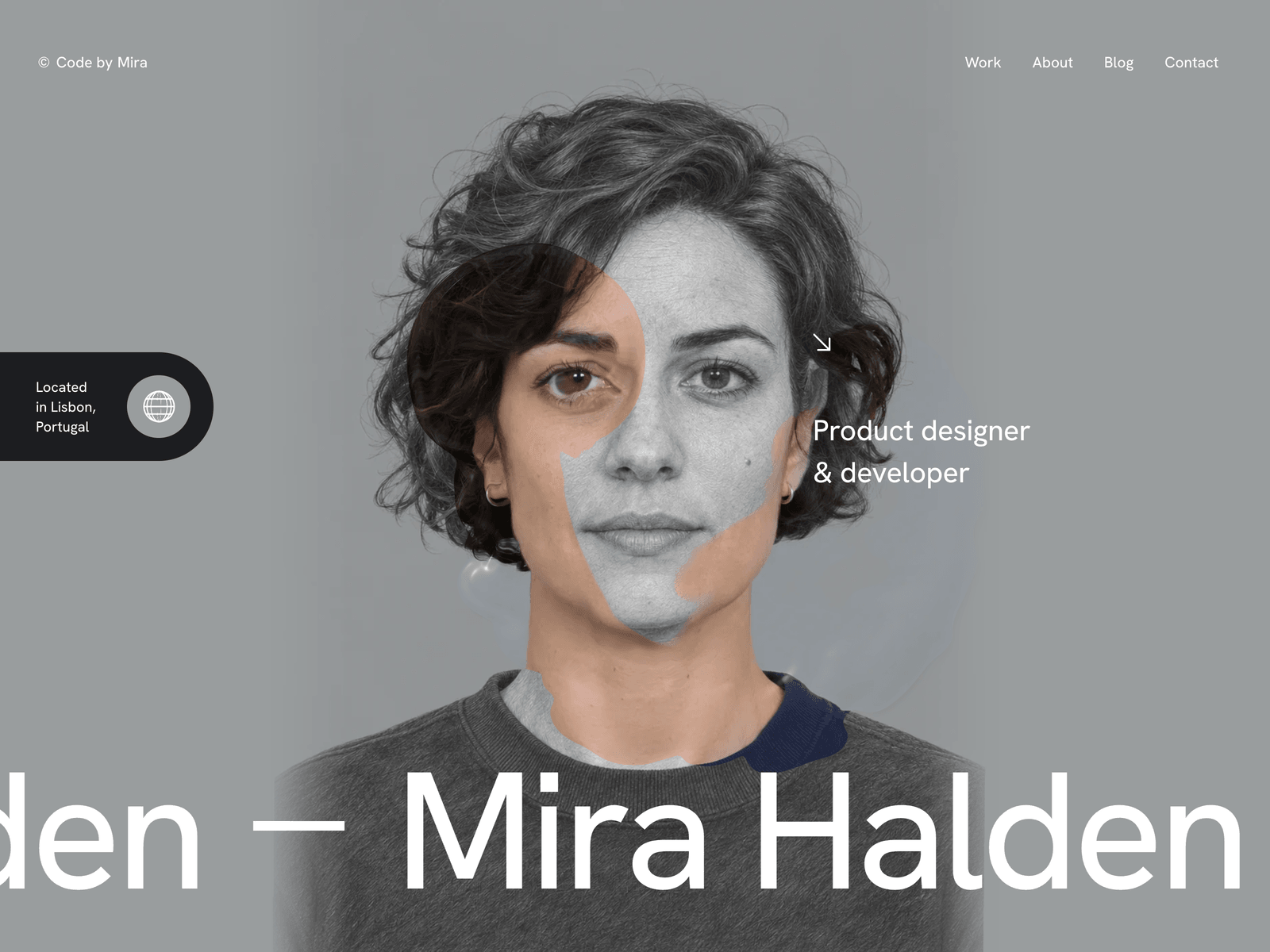
A portfolio for a designer or developer who works alone. Your portrait is drawn in graphite and turns into the photo under the cursor. A Hello loader, curtain page changes, case studies, side projects, a career path, a blog and a contact form.
One payment for Graphite and everything else - all 42 themes, every future release, and the Astro visual builder included.
See Graphite in action
Every page and section is part of the download. Use these as launch-day templates - keep the structure, swap the copy.
Graphite is for one person: a product designer, a developer, or someone who does both. The homepage opens on your portrait drawn in graphite. Move the cursor across it and a small fluid simulation washes the drawing away to show the real photo underneath, and when the cursor rests the drawing comes back on its own. Your name moves across the bottom of the screen in very large type. Below it sit a short statement, your services, your recent work as large rows with a preview that follows the cursor, a grid of side projects and your career path. Each project gets a case study with the role, the stack, the client and the year, the screenshot in a browser frame, the story and a gallery. Every full page load starts with Hello in eight languages, and moving between pages raises a dark curtain with the next page's name. The README holds a ready prompt for ChatGPT or Gemini that turns your photo into the matching drawing. Every word, project, article, form field and translation lives in src/config/site.ts, and the contact form starts in an honest demo mode until you connect Formspree, FormSubmit, Netlify or your own endpoint.
Best Fit For
- Freelance product designers and developers
- Designers who also write the front end
- Independent makers with apps and side projects to show
- Anyone who wants a personal site that people remember
Full Page Set
Every page is real and editable - no placeholders, no "coming soon" stubs.
14 Sections Included
Every section is a ready-to-use Astro component. Add it to any page, customize via config, or remove what you don't need.
What's Included
A hero people play with
Your portrait is a pencil drawing until the cursor moves over it. Then a small fluid simulation washes the drawing away to show the photo, the trail swirls and fades, and the drawing comes back when the cursor rests. Visitors keep moving the mouse just to watch it.
Your own drawing in a few minutes
You do not need an illustrator. The README has a prompt for ChatGPT or Gemini that turns your photo into a graphite drawing with the same size and framing, and a quick check to make sure the two line up before you publish.
Motion between pages
Every full page load starts with Hello in eight languages on a dark screen that lifts off with a curved edge. Moving between pages raises a dark curtain with the next page's name, then lifts it off the new page. All of it switches off for visitors who ask for reduced motion.
Case studies that look finished
Each project page opens with the title and three columns for the role, the stack, the client and the year. Then comes a round Live site button, the screenshot in a browser frame on the project's own colour, the story, a gallery and a large link to the next case.
Tech Stack
Config-Driven Setup
Graphite keeps every string, the hero portrait and its drawing, the loader greetings, the projects and their case studies, the side projects, the career path, the blog articles and the contact form's fields and delivery settings insrc/config/site.ts. Projects and articles are entries in site.ts rather than Markdown files, and the contact form stays in an honest demo mode until you choose a provider.
// src/config/site.ts
export const site = {
  name: "Mira Halden",
  url: import.meta.env?.PUBLIC_SITE_URL || "https://example.com",
  logo:     { prefix: "Code by", first: "Mira", last: "Halden" },
  location: { lines: ["Located", "in Lisbon,", "Portugal"], timeZone: "Europe/Lisbon" },
  loader:   { enabled: true, words: ["Hello", "Bonjour", "Ciao", ...] },
  hero:     { portrait: "/images/hero-portrait.webp", sketch: "/images/hero-sketch.webp", ... },
  projects: [{ slug: "fernway", kind: "Product design · Web app", stack: "...", link: "...", ... }, ...],
  products: { enabled: true, items: [{ name: "Driftnote", meta: ["Sleep notes", "iOS"], ... }, ...] },
  path:     { items: [{ role: "Senior Product Designer", at: "Brightline", when: "2020 - 2023" }, ...] },
  journal:  { posts: [{ slug: "designing-for-the-empty-state", category: "Interface design", ... }, ...] },
  contact:  { delivery: defineDelivery({ provider: "demo" }), fields: defineFields([...]) },
};
Full documentation, ready before you buy
Browse the install guide, the site.ts reference, provider setup, deploy instructions, and the Graphite-specific page - all live now.
More themes from the collection.
August
Personal / Portfolio / SaaS
Slab
SaaS / Startup
Vertex
SaaS / Startup
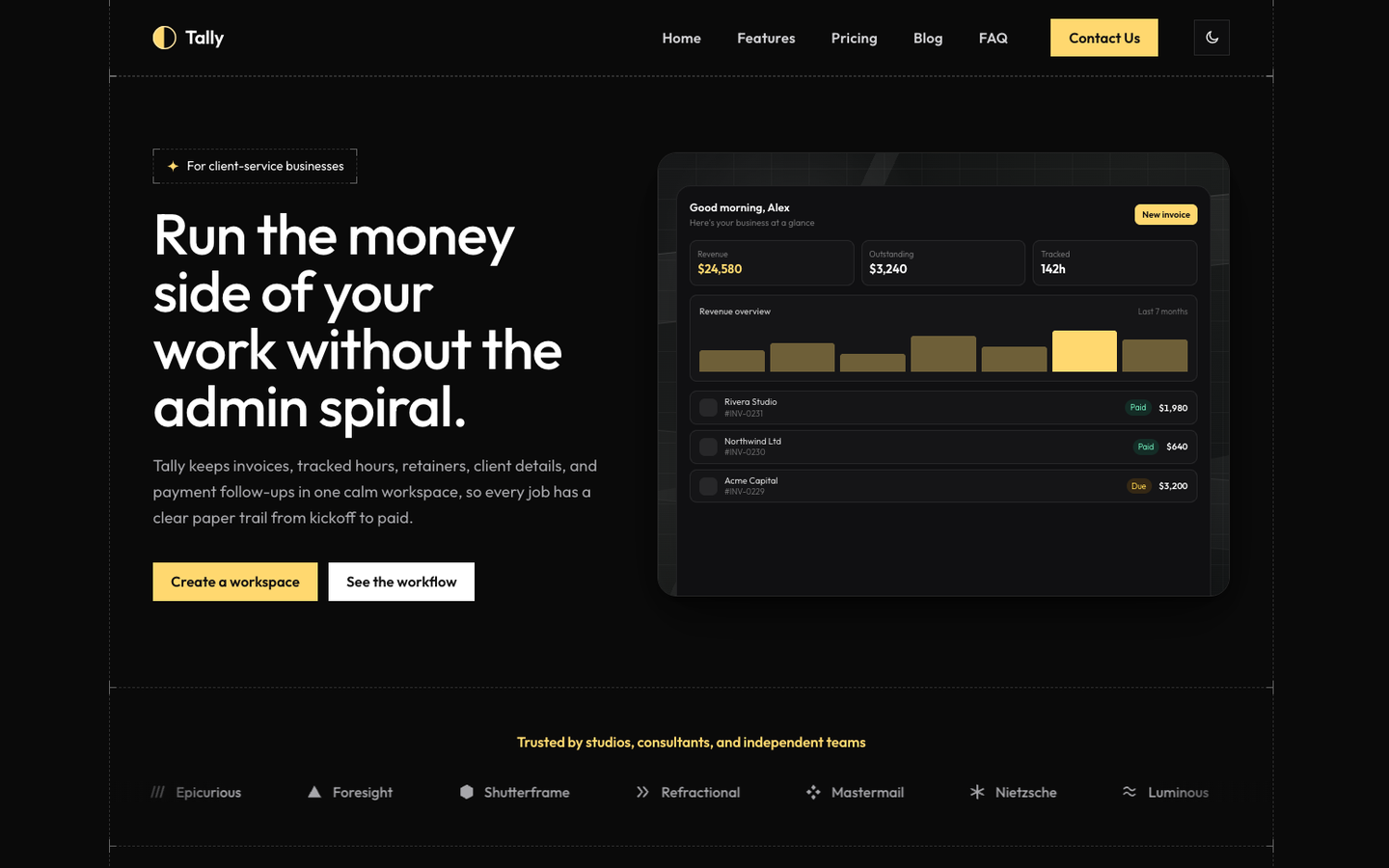
Tally
SaaS / Startup
Or get every theme - these included - with the All-Access Pass.