Ecommerce Website Templates: What You Get and How to Take Payments (2026)
What an ecommerce website template includes, what it leaves to you, and the ways to take payments, from a simple payment link to a full cart.
An ecommerce website template is an online shop that’s already designed. It comes with a home page, category pages, product pages and a cart, and you fill it with your own products and photos instead of building every page of an ecommerce website yourself.
What it doesn’t always come with is the part that takes the money. Some templates are already wired to a store platform such as Shopify. Others, including our own Haven, leave the checkout to you, so you decide how people pay. Before you buy one, it helps to know which kind you’re looking at and what each way of taking payments costs.
What you get with an ecommerce website template
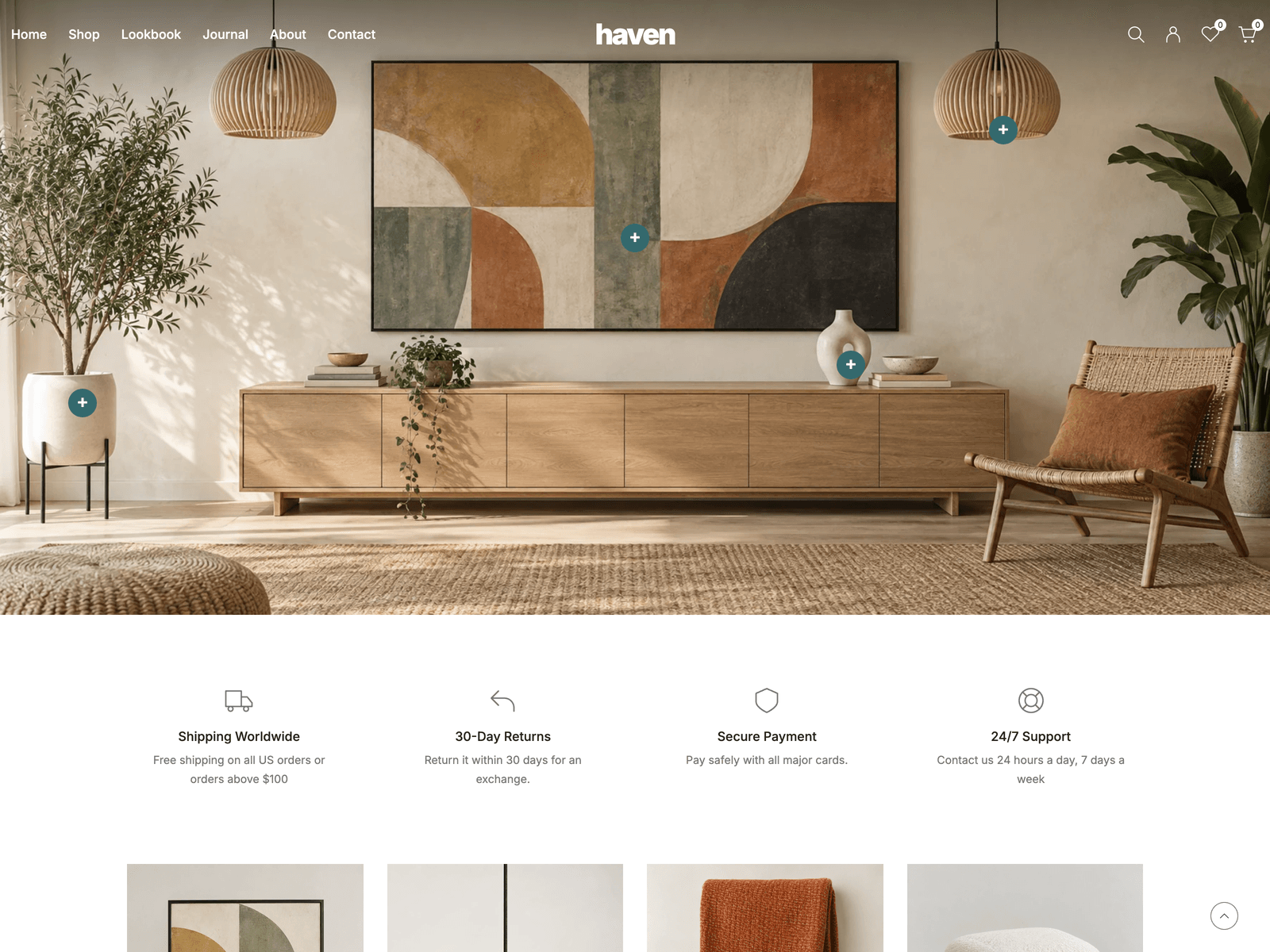
Haven is a good example because we know every file in it. It’s a multi-purpose e-commerce theme that we released in October 2026, and it comes with:
- a home page that opens on a full-width photograph with markers on the products in it, each opening a small product card
- collection pages that sort and filter, with the choices kept in the address bar so the back button works
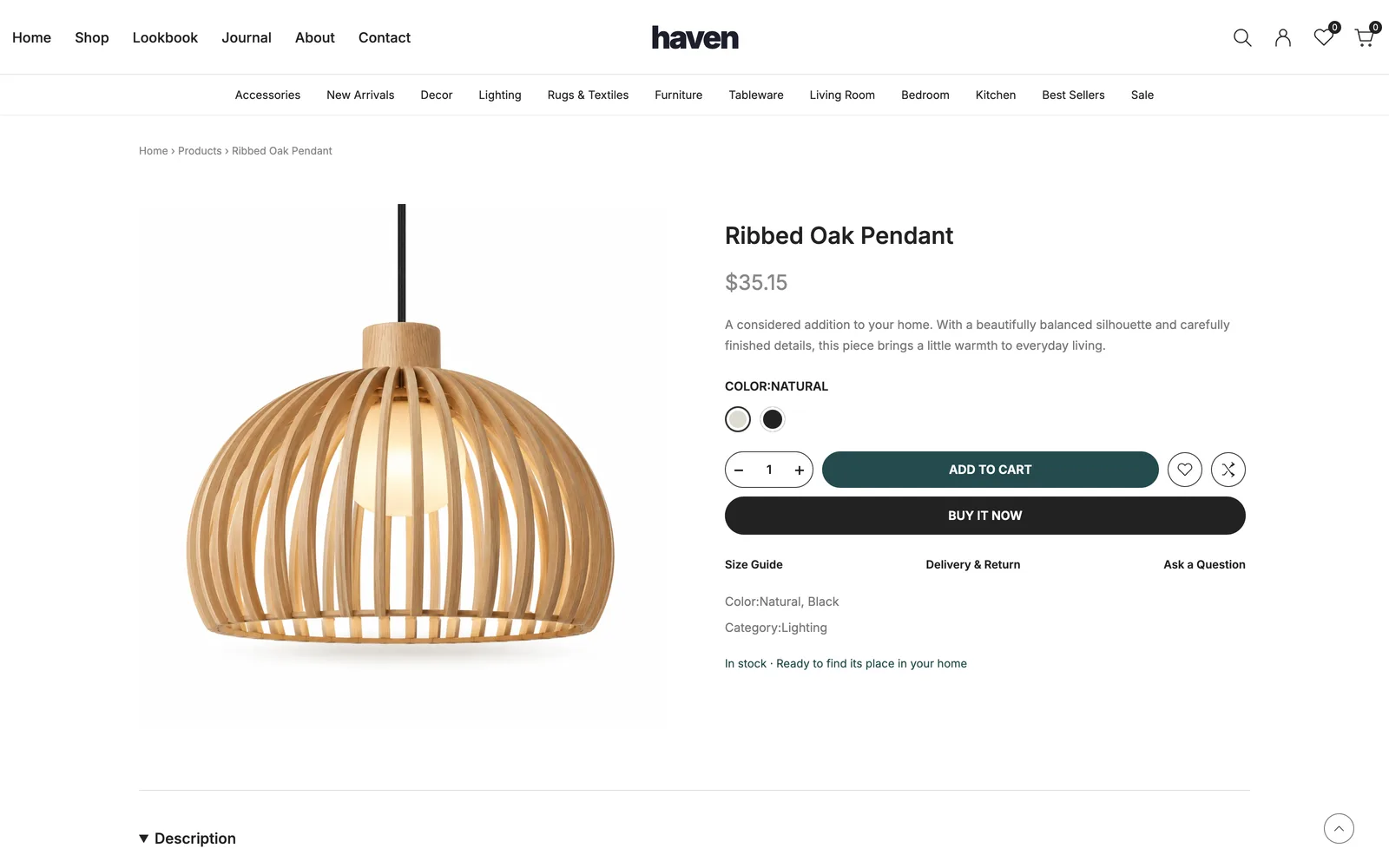
- product pages with photos, colour options and a quantity that can’t go above the stock you’ve set
- search and quick view, plus a cart, a wishlist and a comparison list that stay saved in the visitor’s browser
- a lookbook, a journal and ten information pages, including shipping, returns, privacy and an FAQ
All 28 demo products sit in one file, site.ts, with their prices, colours, stock and photos. Adding a product means copying an entry and changing the words, the price and the picture.
Haven builds to static pages, which means the whole shop becomes a folder of finished pages that a host sends to visitors. No program runs on a server, so hosting this kind of site on Cloudflare Pages is free.
What a template leaves to you
A static template can show products and keep a cart in the visitor’s browser. It can’t charge a card. Card payments go through a payment company such as Stripe, PayPal or Shopify Payments, and your site sends the customer to it at checkout.
In Haven the checkout is a demo. It shows the steps, but it takes no payment and creates no order, and the stock numbers in the file aren’t connected to anything. Before you sell for real, you choose a payment service and connect it, and you also decide:
- who keeps count of your stock
- what you charge for shipping, and to which countries
- how sales tax is worked out
- where the order lands, so you know what to pack
The services below handle some of these for you and leave others to you, which is most of the difference between them.
Four ways to take payments on a template site
These are the published prices for US card sales, checked on 5 October 2026.
| Option | Monthly cost | Fee per sale | Stock tracking |
|---|---|---|---|
| Stripe Payment Links | $0 | 2.9% + 30¢ | No. A link can stop after a set number of sales |
| Snipcart | $20 flat while you sell under $1,000 a month | 2% once you pass $1,000, plus the payment company’s fee | Yes |
| Ecwid | $5 for 10 products, $35 for 100, $65 for 2,500 | No Ecwid fee, only the payment company’s | From the $65 plan |
| Shopify | $5 on Starter, $29 on Basic (billed yearly) | Shopify’s card fees, plus 2% on Basic if you use another payment company instead of Shopify Payments | Yes |
A payment link on each Buy button
This is the lightest setup. In Stripe you create a payment link for each product, then paste it into the product’s Buy button. The customer pays on Stripe’s checkout page, and the order shows up in your Stripe dashboard.
A payment link can collect a shipping address and add shipping rates, and it can let the customer change the quantity. It doesn’t keep a stock count, but you can set a link to stop after a number of payments, which works if you made twelve of something. Sales tax is calculated by Stripe Tax, which is a separate paid product.
At least one Astro store template is built around this. The listing for Sundries, a template for homeware and gift shops, says “every Buy button is a plain link: paste a Stripe Payment Link in and it takes real orders”. There’s no cart in this setup, so each checkout covers the one product on its link.
A cart service
If people should be able to put several things in one basket, a cart service such as Snipcart adds a cart and a checkout to the pages you already have. It supports physical products, digital ones and subscriptions, and includes inventory management.
The pricing is easy to misread. While your sales stay under $1,000 a month, Snipcart charges a flat $20 a month. Above that it charges 2% of sales. Either way, the payment company you connect (Stripe, for example) charges its own fee on top.
A store you embed
Ecwid runs the store itself: products, cart, checkout and orders. You place it inside your existing website. Its plans support adding a store to an existing site at every level, from $5 a month for 10 products. Inventory tracking starts on the Business plan at $65 a month, and automatic tax calculation starts at $35.
Here the template mostly gives you the pages around the store: the home page, the story, the journal. The product grid and checkout look like Ecwid’s.
A store platform behind the template
Shopify can sit behind a template. The template shows the products, Shopify keeps them, and the customer pays on Shopify’s checkout. You’ll see this called a headless store. The Astro template Kona, for example, reads the Shopify catalog and “returns checkout to Shopify”.
Shopify’s Starter plan costs $5 a month and is made for selling through product links on social media and in messages. Basic is $29 a month on yearly billing. If you pay through another company instead of Shopify Payments, Shopify adds its own fee: 2% on Basic, 1% on Grow and 0.6% on Advanced.
For digital products only
If you sell downloads, such as templates, presets or ebooks, Lemon Squeezy and Gumroad are worth a look, because both handle sales tax for you as the seller of record. Neither one works for physical products. Lemon Squeezy says it is designed for digital products, and Gumroad says physical goods aren’t supported.
What a month of sales costs on each
Say you sell 20 things a month at $40 each, $800 in sales, all paid with US cards. Stripe’s fee on each $40 sale is $1.16 (2.9%) plus 30¢, so $1.46.
| Setup | What you pay that month |
|---|---|
| Stripe Payment Links | $29.20, which is 20 sales at $1.46 |
| Snipcart with Stripe | $49.20: Snipcart’s flat $20, because you’re under $1,000, plus Stripe’s $29.20 |
| Ecwid’s $35 plan with Stripe | $64.20, for up to 100 products but no stock tracking |
| Shopify Basic, billed yearly | $29, plus Shopify’s card fees on the $800 |
If your products come in sizes and colours and you sell out often, stock tracking is worth paying for. Without it, two people can buy the last one and you have to refund one of them.
Which way fits your shop
If you sell a handful of things you make in small batches, payment links are the simplest place to start. There’s no monthly fee, and you set each link to stop when the batch is gone.
If you have dozens of products and customers usually buy more than one, a real cart matters. Snipcart adds one to the pages you have, and Ecwid gives you a whole store to embed.
If you already sell on Shopify, or you want its order screens, stock and shipping settings, choose a template that reads from Shopify and sends the customer to its checkout.
Ecommerce website templates for Astro
Astro is the framework our themes are built with. Its theme directory has an ecommerce category, though not everything in it is a shop: SaaS landing pages and a login template turn up there too. These are store templates from that directory, plus our own, and how each one takes payments:
| Template | Price | How it takes payments |
|---|---|---|
| Sundries | Paid | A Stripe Payment Link on each Buy button |
| Kona | Paid | Shopify catalog and Shopify checkout |
| Nalu | Paid | WooCommerce catalog and WooCommerce checkout |
| AstroCommerce | Paid, 10 templates | Products and cart from Shopify |
| Maison | Free | Demo products, with Shopify as an option |
| astro-njx-store | Free | Demo products, with Shopify as an option |
| Haven | $49 | Demo checkout. You connect your own payment service |
The free ones are a good way to see how an Astro store fits together. The paid ones that come connected to Shopify or WooCommerce suit you if you already use either. Haven suits a shop that wants a shop-the-look home page and is happy to pick its own way of getting paid. The Haven docs show where the products, prices and stock live, and its live demo lets you add things to the cart and walk through the demo checkout.
For a shop theme to start from, see Haven, or the full list of the best Astro themes for 2026.
Frequently asked questions
What is an ecommerce website template? +
It's a ready-made design for an online shop: a home page, category pages, product pages and a cart. You add your own products and photos instead of designing each page. Whether it can take money depends on the template. Some come connected to a store platform such as Shopify, and others leave the checkout for you to connect.
Can a website template take real payments? +
Yes, once it's connected to a payment service. The simplest way is a Stripe Payment Link on each Buy button, with no monthly fee and 2.9% + 30¢ per US card sale. A cart service such as Snipcart, an embedded store such as Ecwid, or a store platform such as Shopify can do it too.
Do I need Shopify to sell online? +
No. Shopify is one option: its Starter plan is $5 a month for selling through product links, and Basic is $29 a month on yearly billing. A template with Stripe Payment Links has no monthly fee at all, and you only pay Stripe's fee on each sale.
Can I sell physical products with Lemon Squeezy or Gumroad? +
No. Lemon Squeezy says it is designed for digital products, and Gumroad's pricing page says physical goods are not supported. For things you ship, use Stripe, Shopify, Snipcart, Ecwid or another service that collects shipping addresses.
Are there free ecommerce website templates? +
Yes. The astro.build theme directory lists free store templates such as Maison and astro-njx-store, which run on demo products and can be connected to Shopify. A free template still needs a payment service before it can take real orders.
Start from a production-ready Astro theme
Skip building the design from scratch. These themes are full Astro 7 + Tailwind v4 projects you own outright - and you can edit them visually, no code, with the AeroLaunch builder.