How to Make an Astro Theme Editable Without Touching Code Again
Five ways to make an Astro theme editable, from a Git-based CMS to the AeroLaunch visual builder: what each costs to set up, who it suits, what you keep.
You bought or built an Astro theme. It is fast, it looks right, and every change to it goes through a code editor. That is fine for the first month. It stops being fine the day the price on the pricing section has to change on a Tuesday evening and the only person who knows where that string lives is on holiday.
There are five ways out of that. They range from a free afternoon of setup to a paid service, and they differ on the two things that decide everything: who does the wiring, and what you are left holding when you are done. Here they are, cheapest and most hands-on first.
What “editable” means in an Astro project
Astro compiles everything to plain HTML at build time. Nothing in this guide changes that. What changes is where the words, images and lists live, and who can change them without opening a component file.
Out of the box, an Astro theme keeps content in two places. Blog posts and similar collections sit in Markdown files. Everything on the landing pages, the hero headline, the three feature cards, the testimonial quotes, is written into the page components or a site.ts config. Making a theme editable means putting a friendlier layer over one or both of those places.
That layer can be:
| Approach | How you edit | Who wires it | What you keep |
|---|---|---|---|
| Git-based CMS | Forms in an admin screen | A developer, an afternoon | Markdown in your repo |
| In-context editor | Click text on the live page | A developer, a day or two | Your repo, Git-backed |
| EmDash | Admin panel plus click-to-edit | A developer, one long day | A database on your Cloudflare account |
| AeroLaunch visual builder | Click any section of the theme | Nobody, it is done | An exported Astro project |
| Make It Editable service | Same as the builder, on your own theme | Us, 5 business days | An exported Astro project |
Option 1: a Git-based CMS
Keystatic, Decap CMS, Sveltia CMS and Pages CMS all do the same trick. You get an admin screen with forms. When an editor saves, the CMS commits a Markdown change to your repository through your Git host, the site rebuilds, the change is live. No database, no server, nothing to pay for.
Keystatic has the most direct Astro integration. Decap is the long-standing open-source one. Sveltia is a fast rewrite that reads Decap configs.
The developer’s job is to describe the content model: which collections exist, which fields each one has. For blog posts that is quick because the frontmatter already is the model. For landing-page sections it means moving strings out of components into files the CMS can see, which is the part people underestimate.
Suits a solo founder or a small team that wants free with zero lock-in and can live with form-based editing. Does not suit anyone who needs to see the change on the real page as they make it.
Option 2: an in-context editor
TinaCMS and CloudCannon render your actual page and let the editor click a heading and type. This is the closest a CMS gets to the feel of a page builder while your content stays in Git.
TinaCMS is open source at the core with a hosted option and a free plan for two users. CloudCannon is a commercial platform, priced from about $49 a month billed yearly, with in-context editing, a component browser for non-technical people, and hosting included.
The wiring is heavier than a Git CMS. Each page the editor should be able to touch has to be connected to a schema or configuration, and a landing page with twelve distinct sections is twelve things to connect. Once done, it is a pleasant editing experience, and the comparison of Astro visual editors goes into detail on what each one costs and does.
Suits a team where a non-developer edits every week and wants to see the page. The trade is more setup and, for CloudCannon, a subscription.
Option 3: EmDash, the site and the admin in one
EmDash is an Astro integration that takes the WordPress idea, one system that is both the website and its admin, and does it on Astro. You install it, add two lines to your config, and you get an admin panel at /_emdash/admin. Content moves from Markdown files into a database: SQLite locally, Cloudflare D1 and R2 in production. Pages read from it at request time, so there is no build and no Git in the editor’s life.
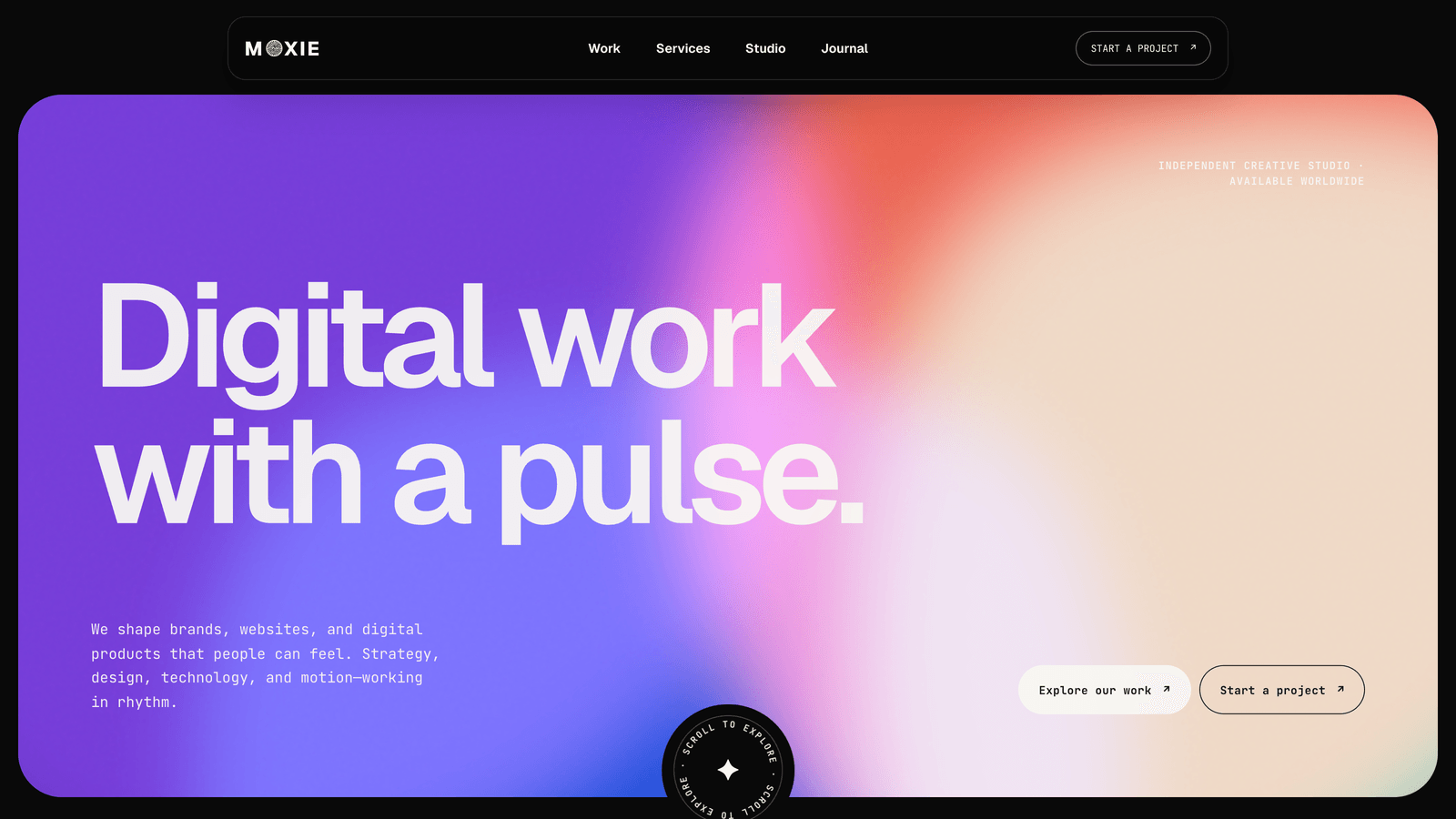
We converted our Moxie theme to it and wrote up what that took. The editor’s side is good: a sidebar with Pages, Journal, Services, Work and Media, every block of the homepage as its own group of fields, a click-to-edit toggle on the real site, and per-entry translations.
The developer’s side is real work. Output switches to server mode, React comes in for the admin, a seed file defines the content model, every page is rewritten to read from EmDash instead of getCollection, and click-to-edit needs an entry.edit marker on each heading and paragraph. For a theme with three collections and a dozen homepage blocks that was a long day plus a morning. It is also version 0.36 as we write, with the rough edges that implies.
Suits a developer handing a site to a client who will edit for years and does not want Git anywhere near them. Does not suit a fully static site that needs no server, or anyone who wants the option to walk away with plain files.
Option 4: the AeroLaunch visual builder
The visual builder skips the wiring because the wiring is already done. You pick an AeroLaunch theme, open it in the browser, and every section of every page is editable on the rendered site: headlines, copy, images, lists you can add to and reorder, pricing, blog posts, navigation, footer. New pages assemble from the theme’s own sections. When you are done you download a complete Astro project and host it wherever you want. Nothing keeps running on our side.
It is a one-time unlock, and it works with the free themes as well as the paid ones, so the cheapest complete route is a free theme plus the builder.
The limit is the obvious one: it edits AeroLaunch themes. Which brings us to the fifth option, because that limit is the one we heard about most.
Option 5: have your own theme wired in
Make It Editable is the service version of option 4 for a theme you already have. It can be one you bought from another shop, one you built, or one an agency built for you. The only requirement is that it is an Astro project that builds.
You share the repository or a zip. We add the builder’s edit and bind attributes to every section, model the content the way our own themes are modelled, connect the lists, colours and pages, and open the theme in your builder account as a private theme that only you can see. Builder access is part of it. Five business days from the moment we have the repository, a live preview to check, two rounds of fixes. The export is your own theme, your own code, with the attributes in place.
Your design does not change. The attributes are inert on the exported site. What changes is that the person who edits it no longer needs a code editor, and the person who built it no longer gets the Tuesday evening message.
Suits anyone with an Astro theme they like and an editing problem they do not. Does not suit themes on other stacks. A WordPress site would need the migration service first, because the builder edits Astro and nothing else.
Choosing
The honest decision tree is short:
- Everyone who edits is fine with Markdown and Git: do nothing, content collections are enough.
- A non-developer must publish, budget is zero, forms are acceptable: Git-based CMS.
- Editors need to see the page, and someone can spend a day or two wiring it: TinaCMS or CloudCannon.
- The site is going to a client for years and Git must never appear: EmDash, with a developer who has read the rough edges first.
- You want to own the code, edit visually, and not do the wiring: an AeroLaunch theme in the builder, or your own theme through Make It Editable.
Whichever you pick, decide on purpose about one thing: where the content ends up. Git-based tools and the builder leave it in files you own. EmDash leaves it in a database on your own Cloudflare account. A headless CMS, which we left out of this guide on purpose, leaves it on someone else’s platform. Moving content later is the expensive kind of change, so it is worth choosing the resting place before choosing the editor.
Frequently asked questions
Can I edit an Astro site without a CMS? +
Yes, but only if everyone who edits is comfortable with Markdown files and Git. Astro's content collections give you typed, version-controlled content out of the box. The moment a non-developer needs to change a headline, you want one of the layers in this guide: a Git-based CMS, an in-context editor, EmDash, or a visual builder.
What is the cheapest way to make an Astro theme editable? +
A Git-based CMS such as Keystatic, Decap or Sveltia. They are free, keep your content as Markdown in your own repository and need no server. The cost is a developer's afternoon to wire the content model and authentication, and the editing is form-based rather than on the page.
Can I click on the page and edit it directly in Astro? +
Yes. TinaCMS and CloudCannon both render your real page and let you edit text in place. EmDash has a click-to-edit mode too, once a developer has marked which heading belongs to which field. The AeroLaunch visual builder does this for every section of its themes with no setup, and the Make It Editable service wires a theme you already own the same way.
Does making a theme editable change its design? +
It should not, and with every option here the design survives if the work is done carefully. Git-based and in-context CMSs read content into the components you already have. EmDash needs the pages rewritten to read from its database, but the components themselves stay untouched. The visual builder adds data attributes to the markup and nothing else, so the exported site renders exactly as before.
What is the difference between a CMS and a visual builder for Astro? +
A CMS attaches to a project you already have and keeps running beside it: logins, previews, sometimes hosting and a monthly bill. A visual builder edits the rendered theme in the browser and then hands you the whole Astro project as a zip, with nothing left running. Pick a CMS when a team edits continuously; pick a builder when you want to own the code and edit occasionally.
I bought an Astro theme elsewhere. Can it go into the AeroLaunch builder? +
Yes, through the Make It Editable service. You share the repository or a zip, we add the builder's edit and bind attributes to every section, model the content, and open the theme in your builder account as a private theme only you can see. Builder access is included, and the export is your own Astro project.
Start from a production-ready Astro theme
Skip building the design from scratch. These themes are full Astro 7 + Tailwind v4 projects you own outright - and you can edit them visually, no code, with the AeroLaunch builder.