AI Startup Landing Page Templates: What the Good Ones Do, and 8 to Pick From (2026)
What separates AI landing pages that get a waitlist from the ones that don't, and eight templates across Astro, Next.js and React, free and paid.
Every AI product launched in the last two years had the same landing page. Dark background, a violet glow behind the hero, a headline with “supercharge” in it, three cards with sparkle icons, and a button that said “Get early access”. You have seen it. Investors have seen it a thousand times. The people you want on your waitlist have learned to scroll past it.
So the useful question is not “where do I get an AI landing page template”. It is “which templates were designed against that default”, and then “which one fits my stack”. This guide answers both. Eight templates, across Astro, Next.js and React, some free, some ours. We say which are ours.
What the pages that work have in common
We looked at the AI landing pages that actually build a list rather than a bounce rate, and the pattern is boring in the best way.
One sentence, one claim. “Turns support tickets into product decisions” beats “AI-powered insights for modern teams”. A claim can be wrong. That is why it is believable.
The product, on screen. A real screenshot, a ten-second recording, or a convincing mock of the interface. The AI category has a trust problem because so many products are a prompt behind a form. Showing the interface says you built something.
One call to action. A waitlist or a demo request. Not both, not plus a newsletter, not plus “book a call”.
A data section. Where does the customer’s data go, does it train anything, can they delete it. Two paragraphs. The absence of this section is now a signal.
The founders. Names, faces, one line each. AI startups are young, and people back people.
Restraint above the fold, proof below it. The templates that follow are the ones that make that easy rather than fighting you.
The templates
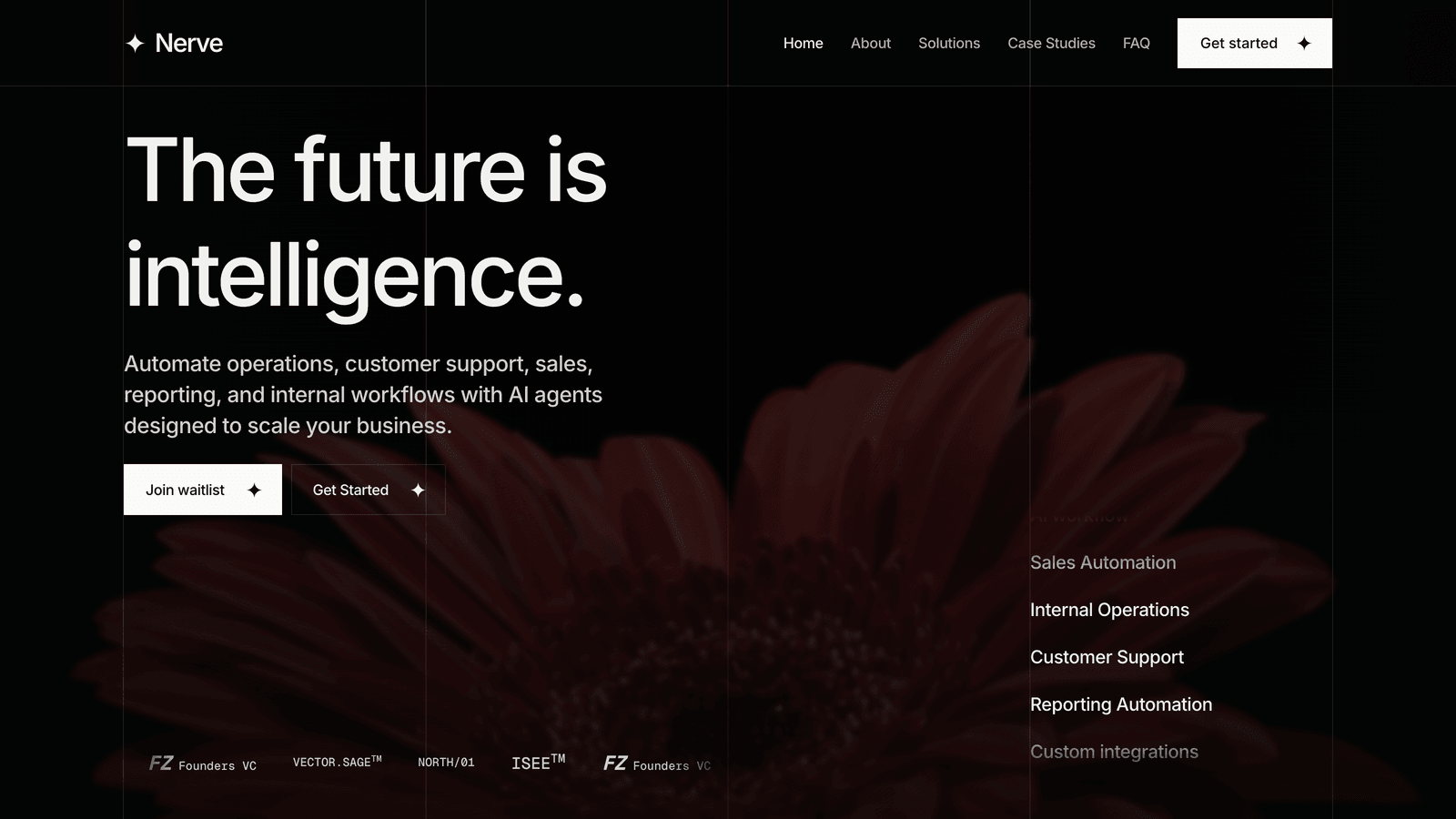
Nerve (Astro, ours)
Nerve was designed for AI, automation and operations companies that want to look intelligent without the gradient. A strict four-column grid, oversized editorial type, alternating near-black and warm-white sections, monochrome photography, and a single red used as a signal rather than a decoration. It ships thirteen pages including Solutions, Case Studies, Insights and a dedicated Waitlist page with a wired form, so the “one call to action” rule is built in. The demo is written as an automation company, but the structure suits an AI agent platform, a workflow tool or an ops studio without changes. Astro 7, Tailwind CSS v4, and an HTML edition if you do not want Astro at all.
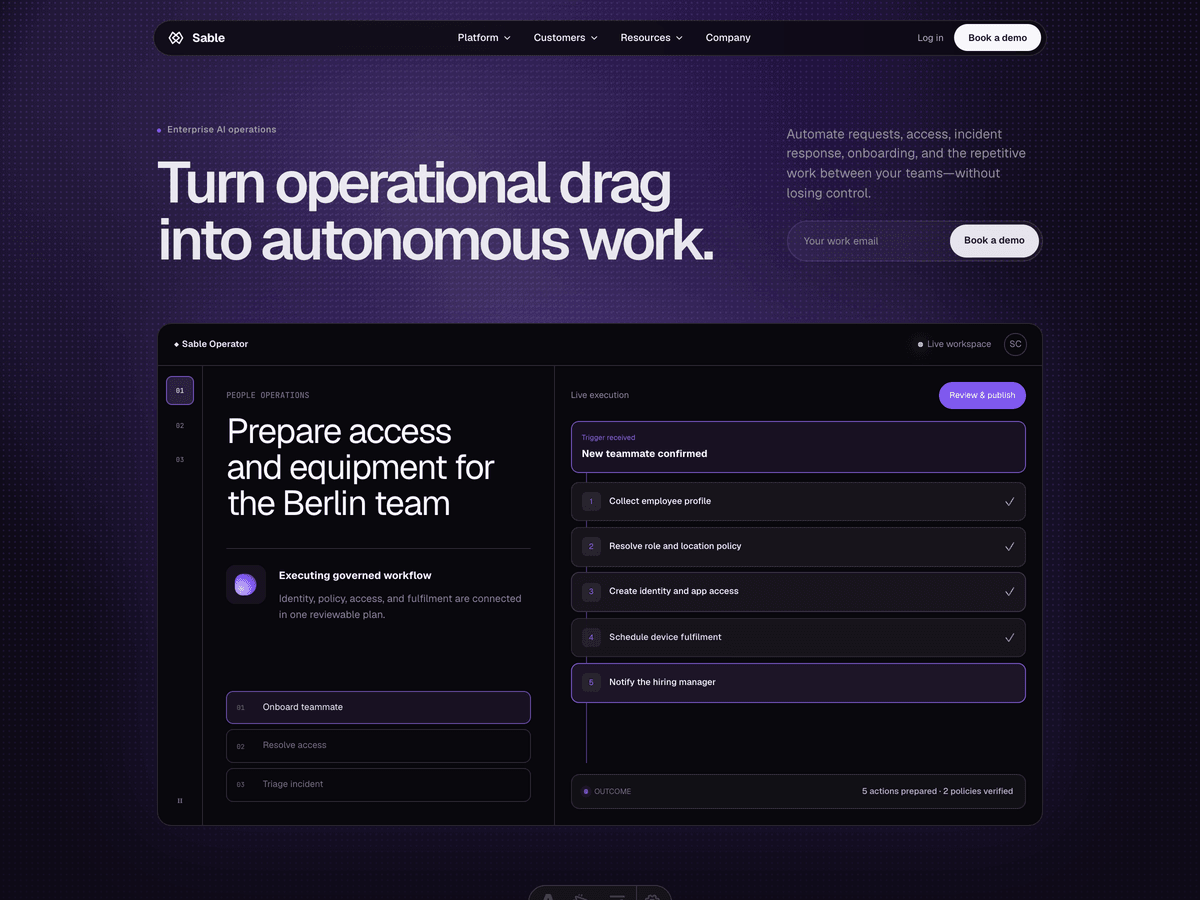
Sable (Astro, ours)
Sable is for the enterprise end: AI platforms, service desks, security and operational SaaS that need to make a complex product feel calm. Pale product surfaces, deep interface panels, one controlled violet accent, and a hero that responds to the mouse. The part buyers mention is the interactive operator workspace and workflow builder in the demo, both built in CSS and a little JavaScript, no video, no screenshots to fake. If your product is complicated and your buyer is a head of operations, this is the one that makes it look manageable.
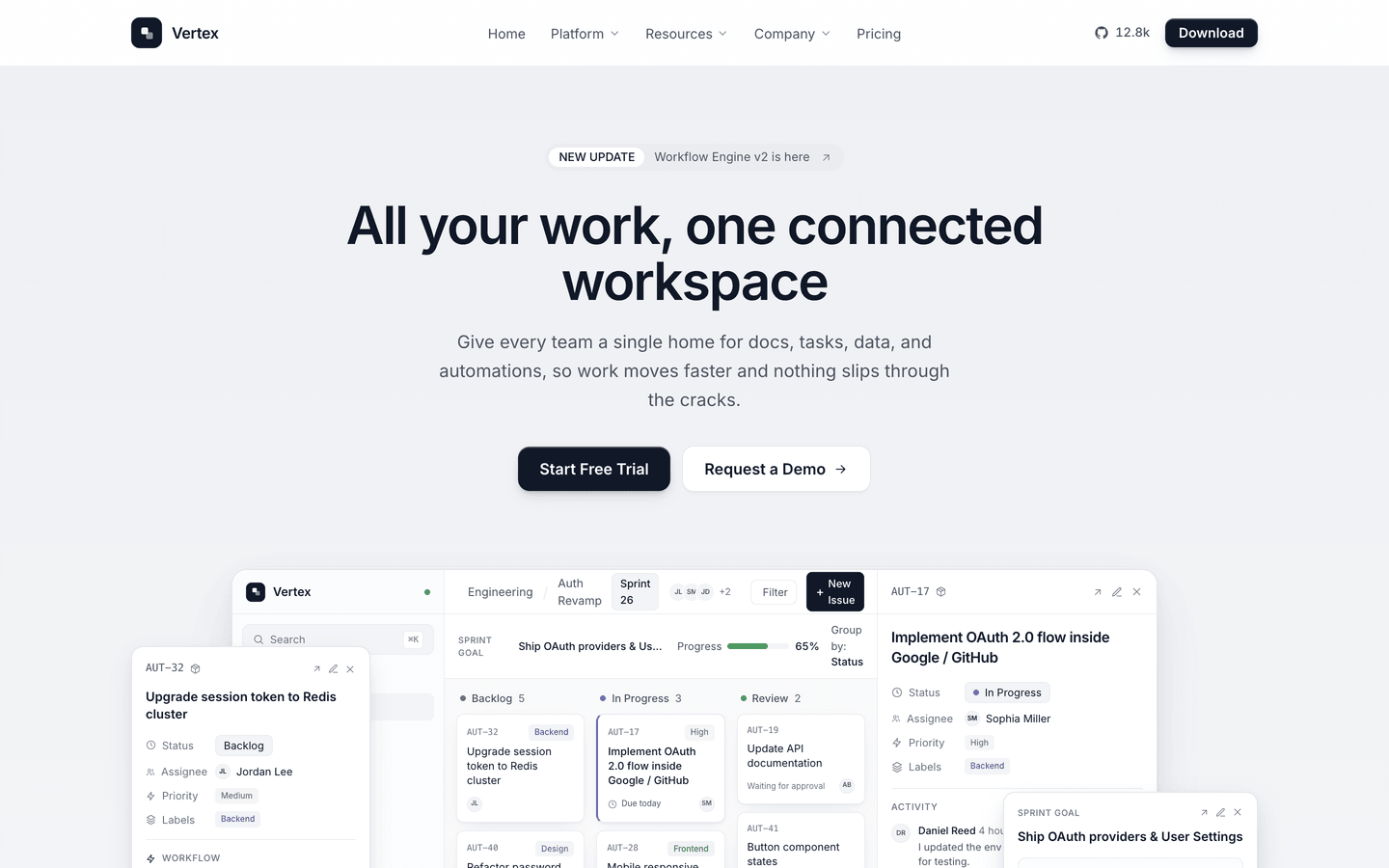
Vertex (Astro, ours)
Vertex is the most-bought theme in our catalogue this quarter, and it is not an AI theme. It is a near-monochrome SaaS system, ink on off-white, black buttons, with a run of live CSS product mockups (an API connector flow, an automation builder, a dashboard) that carry the product tour with zero image assets. Fifteen page templates including a changelog and a blog. AI founders pick it because it looks like a product company rather than a trend. Swap the mockups for your interface and it is done.
Contour (Astro, ours)
Contour is for the technical end of AI: infrastructure, models as a service, security, anything that needs to explain a system with precision. Topographic surfaces, condensed industrial display type, monospaced interface copy, GSAP and Lenis for the motion. Six deployment pages and a blog. It is the opposite of friendly, which is the point if your buyer is an engineer.
Magic UI AI Agent (Next.js, free)
Magic UI’s AI Agent template is a free Next.js and Tailwind landing page with dark mode and a set of animated components. It is the closest thing to the “default AI look” on this list, done well, and if you are already in Next.js it is a fast starting point. You will need to bring the restraint yourself.
AI Tool by NextJS Templates (Next.js, free)
A free, all-in-one Next.js 16 setup from NextJS Templates with SEO, payments and a CMS wired in. Less a landing page than a small product skeleton. Good if the landing page and the app share one repository and you want billing on day one.
WriteMate AI by TailGrids (React, free)
WriteMate AI is a free React and Tailwind template built around AI writing tools and chat products. Reusable blocks for features, pricing, testimonials and calls to action. If your product is a writing or content tool and your front end is plain React, it saves a week.
AstroWind (Astro, free)
AstroWind is the best-known free Astro template, on Astro 7 and Tailwind CSS v4, with a SaaS homepage variant. It is a general-purpose template, so it has no opinion about AI products, but it is well maintained and a solid base if you want to design the page yourself.
Which one, by situation
- Separate marketing site, product is technical: Contour or Nerve.
- Separate marketing site, product is a SaaS with an interface to show: Vertex or Sable.
- Marketing pages live inside the Next.js app: Magic UI’s template, or AI Tool if you want billing in the same repo.
- Budget is zero and you can design: AstroWind, or our free Aurora and Spark.
- Nobody on the team wants to edit code after launch: any AeroLaunch theme plus the visual builder, which edits every section in the browser and exports the Astro project.
Before you launch it
Three things the template cannot do for you. Connect the waitlist form to a real list and test it from a phone. Replace the placeholder screenshot with your interface, even an early one; a real rough screenshot beats a polished fake. And write the data section. The founders who skip it are the ones who get asked about it in the first customer call.
The themes above that are ours start at $39 one-time, the HTML editions at $29, and all of them are in the All-Access bundle. The others are free and linked. Pick by stack first, then by how much design opinion you want to inherit.
If you are leaning towards Astro, our post on the best Astro themes for SaaS compares more product themes, and Tailwind SaaS landing page templates covers Next.js and plain HTML options too.
Frequently asked questions
What should an AI startup landing page include? +
One sentence that says what the product does for whom, a single call to action (usually a waitlist or a demo request), proof that the thing works (a real screenshot, a short recording, or a live mock of the interface), a short section on how it handles data, and the founders. Everything else is optional. The pages that convert in 2026 are restrained; the ones that feel like a launch video are skipped.
Are there free AI landing page templates? +
Yes. Magic UI's AI Agent template and the AI Tool template from NextJS Templates are free Next.js options, WriteMate AI from TailGrids is a free React template, and AstroWind is a free Astro template with a SaaS homepage. AeroLaunch's Aurora and Spark are free Astro themes that work for an AI product with a small edit. Free usually means you do the design opinion yourself.
Astro or Next.js for an AI product's marketing site? +
If the marketing site is separate from the app, Astro ships less JavaScript, builds faster and hosts anywhere for free. If the marketing pages live inside the same Next.js codebase as the product, stay in Next.js and pick a Next.js template. Do not let the landing page choose your app framework, and do not let the app choose the landing page's.
How do I make an AI landing page not look like every other AI landing page? +
Drop the purple gradient, the glowing orb and the word 'supercharge'. Show the actual interface, even a mock of it. Use one accent colour. Write the headline as a claim you could be wrong about. The templates in this list that do well were designed against the default AI look on purpose.
Do these templates include a waitlist page? +
Nerve, Vertex and Tally ship a dedicated waitlist page and a wired form. AstroWind and the Next.js templates give you a form component and leave the destination to you. Whichever you choose, connect the form to a real list before launch day, not after.
Start from a production-ready Astro theme
Skip building the design from scratch. These themes are full Astro 7 + Tailwind v4 projects you own outright - and you can edit them visually, no code, with the AeroLaunch builder.