Muse
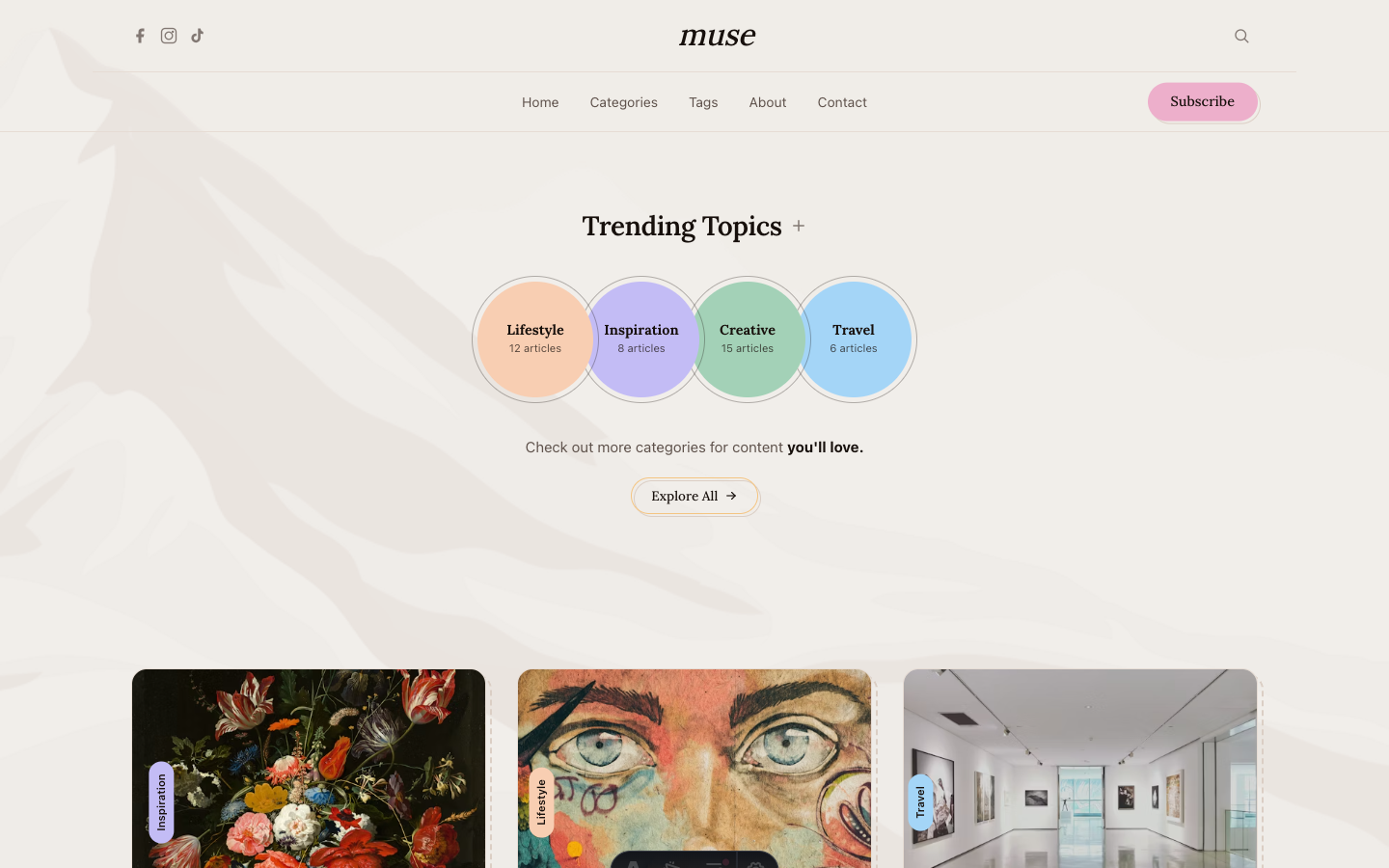
Artistic editorial blog with serif headings, pastel accents, and handcrafted offset border details.
See Muse in action
Every page and section is part of the download. Use these as launch-day templates - keep the structure, swap the copy.
Muse is an artistic editorial blog for writers, creatives, and personal brands. Serif headings, pastel category circles, offset dashed borders, and a watercolor mountain background create a handcrafted feel.
Best Fit For
- Writers and authors
- Creative bloggers
- Personal brands
- Art directors
- Lifestyle publishers
- Cultural commentators
Full Page Set
Every page is real and editable - no placeholders, no "coming soon" stubs.
28 Sections Included
Every section is a ready-to-use Astro component. Add it to any page, customize via config, or remove what you don't need.
What's Included
Editorial Design That Honors the Writing
Muse's blog post layout includes drop caps, pull quotes, proper paragraph spacing, and footnotes. The typography is tuned for long-form reading - comfortable line lengths, generous leading, and serif headings that give each post the weight of a magazine article.
Handcrafted Details Everywhere
Offset dashed borders, pastel category circles, and watercolor background textures. These small details accumulate into a design that feels hand-made and personal - the visual opposite of a generic tech blog template.
A Gallery That Shows Range
The gallery page uses a masonry grid that adapts to different image aspect ratios. Click any image to open a lightbox with captions and navigation. For visual creatives, this is where your non-written work gets its own stage.
Forms, newsletter, and analytics - pre-wired
Muse is ready to connect to your preferred providers. Pick from the options below, drop in a single API key, and your contact form, newsletter signup, and analytics are live - no backend, no JavaScript, no glue code.
Contact form
The Contact section's <form> renders with no JS. Set one provider in site.ts; the form action wires automatically.
- Formspree50 free submissions / month, no domain restriction
- FormSubmitFree, no signup - just an email confirmation
- Netlify FormsFree 100/month - Netlify hosting only
Newsletter
The Newsletter form sends subscribers directly to your ESP. The email input name auto-adjusts per provider.
- MailchimpStandard EMAIL field; honeypot supported
- ConvertKit (Kit)email_address field; works with any form ID
- Buttondownemail field; lightest, indie-friendly
Analytics
Layout.astro injects the right script tag based on the provider you choose. No client-side branching.
- Google Analytics 4Paste your G-XXXXXXXXXX measurement ID
- PlausiblePrivacy-friendly, ~1 KB script, no cookies
- UmamiSelf-hostable, also cookie-free
Tech Stack
Config-Driven Setup
Every theme uses a single src/config/site.ts file
for customization. Change your brand, navigation, form providers, analytics, and section content
without touching component code.
// src/config/site.ts
export const siteConfig = {
  name: "Your Company",
  tagline: "Your tagline here",
  url: "https://yourdomain.com",

  navigation: { sticky: true, links: [...], cta: {...} },
  social:     { twitter: "...", github: "...", linkedin: "..." },
  seo:        { title: "...", description: "...", ogImage: "/og.png" },

  // ── Provider switches ────────────────────────────────
  contactForm: { provider: "formspree",  formspreeId: "your-id" },
  newsletter:  { provider: "convertkit", actionUrl: "https://..." },
  analytics:   { provider: "plausible",  plausibleDomain: "you.com" },

  // ── Section data ─────────────────────────────────────
  team, video, timeline, comparison, gallery,
  carousel, tabs, appDownload, map, footer,
} as const;